Black Forest Labs’ fast open image model creates and edits in one: a 1024 × 1024 image in about 1.9 s and a photo edit in about 3.6 s on an RTX 5090, with up to ten reference images.
Each result below shows the photos it started from. Click any image to open it at full size.
~3.6 sa 1-megapixel photo edit on an RTX 5090
~1.9 sa 1024 × 1024 image from a prompt on an RTX 5090
1–10reference images per render
2.19 Sparka 1-megapixel photo edit ($0.011)
Started from
Edit · 1 photo
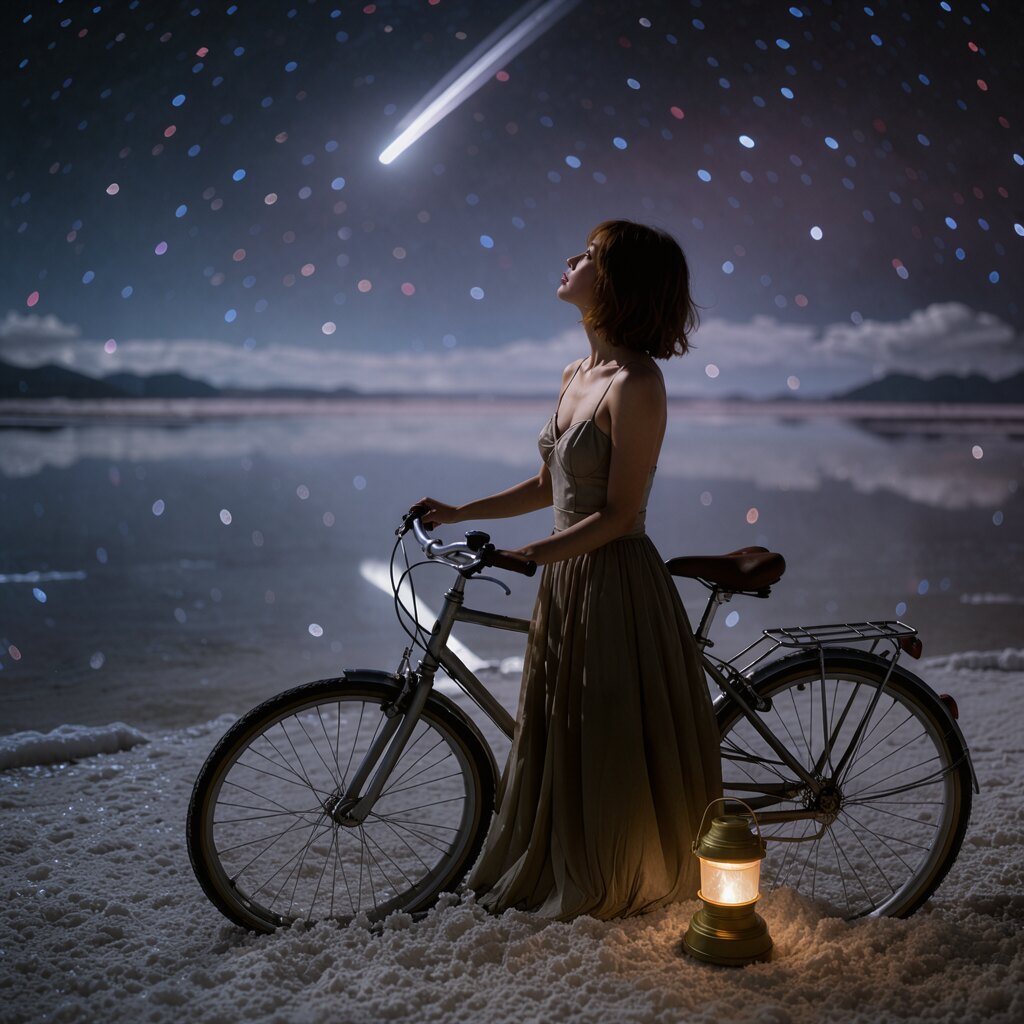
“Put a glowing camping lantern on the ground next to the bicycle’s back wheel.” Klein placed the lantern and pulled the camera back to show the whole bicycle.
Started from
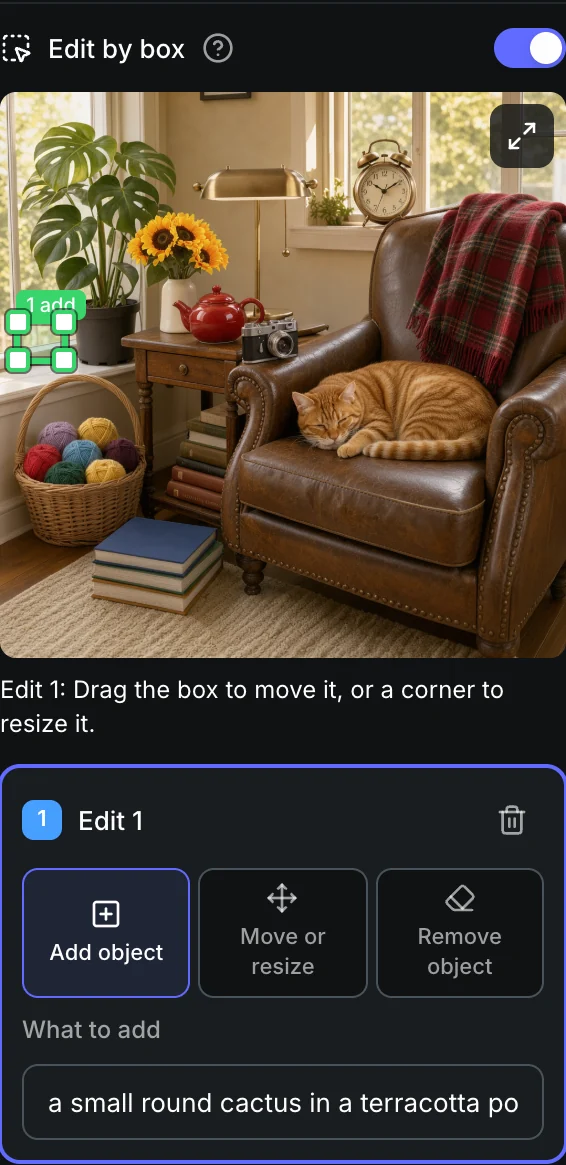
Edit by box · 1 photo
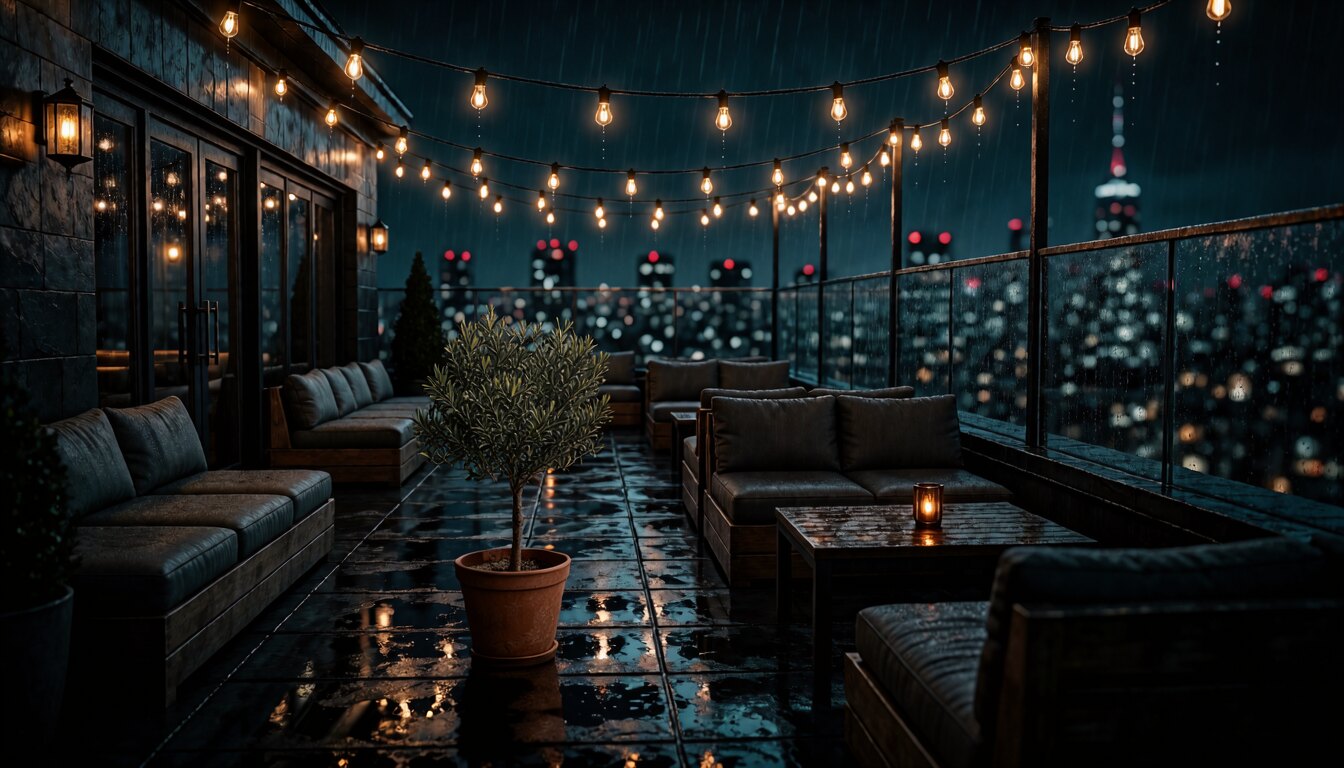
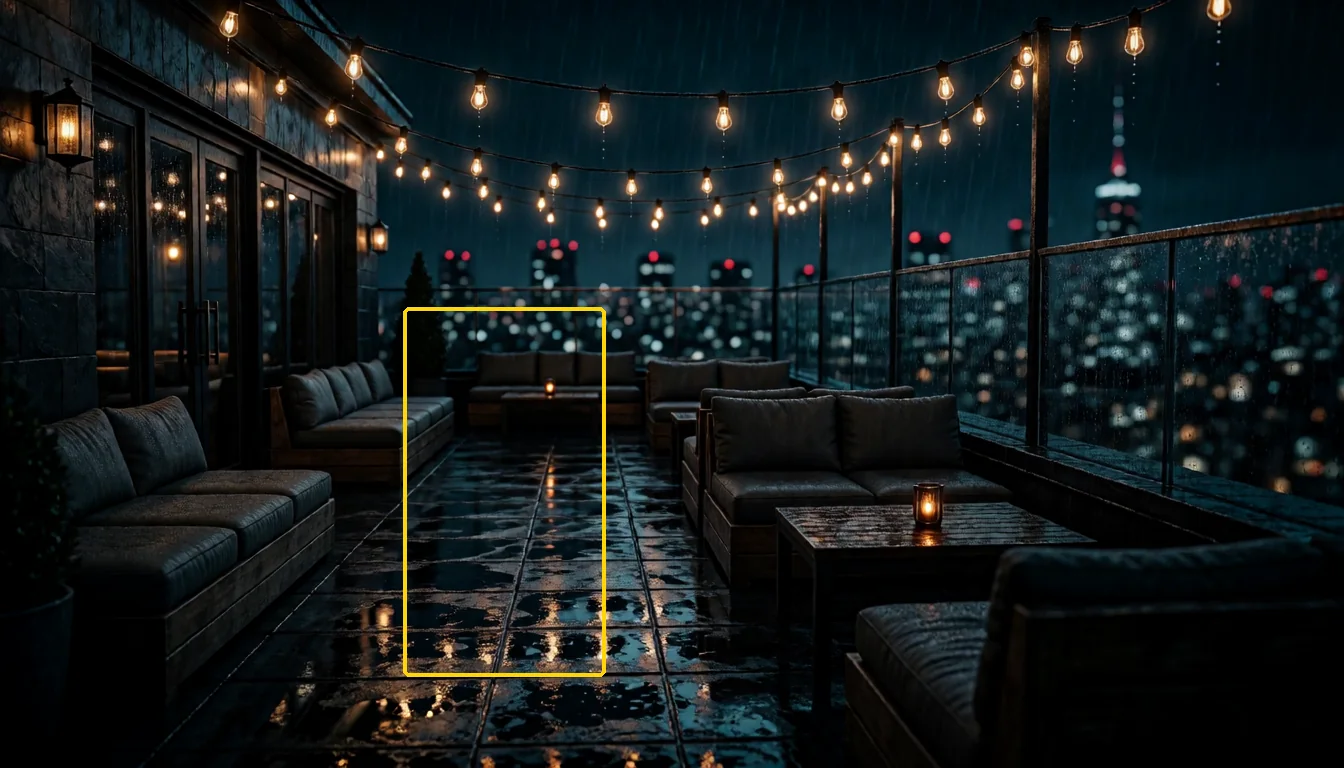
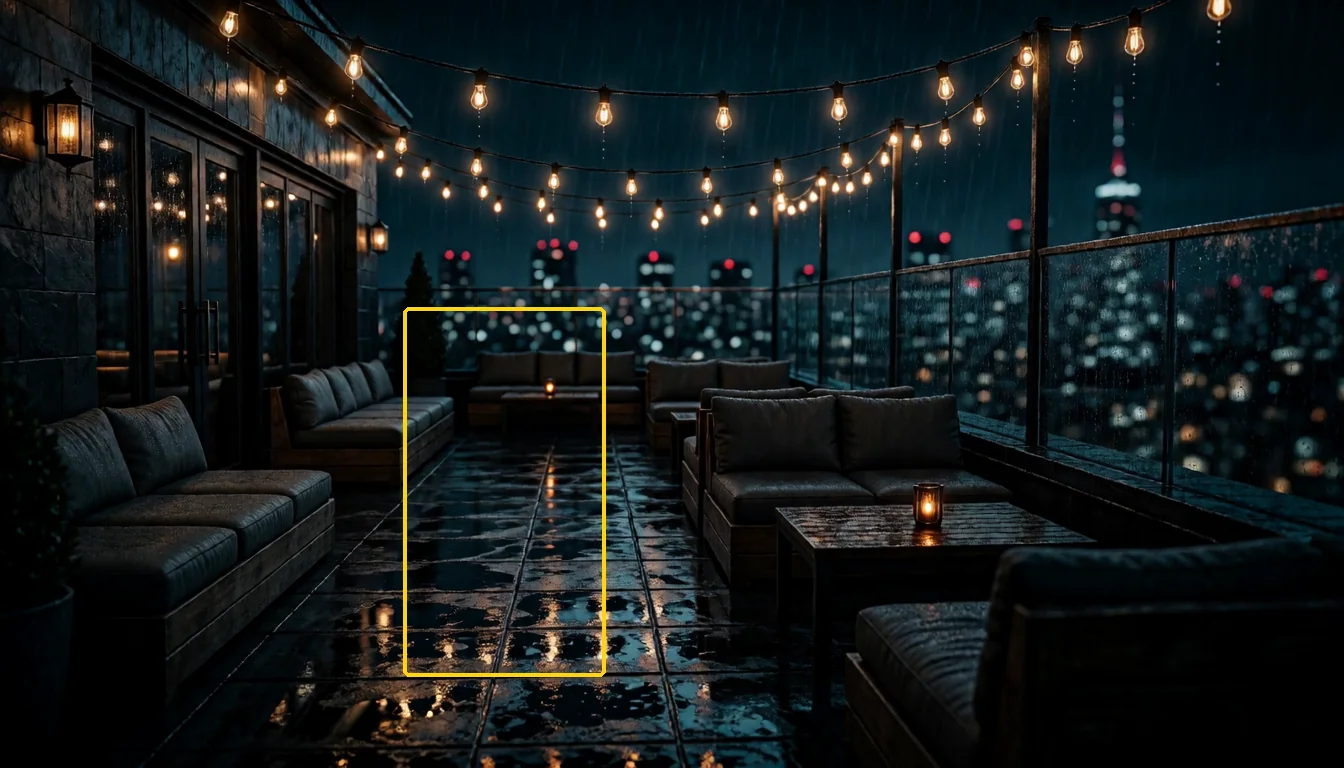
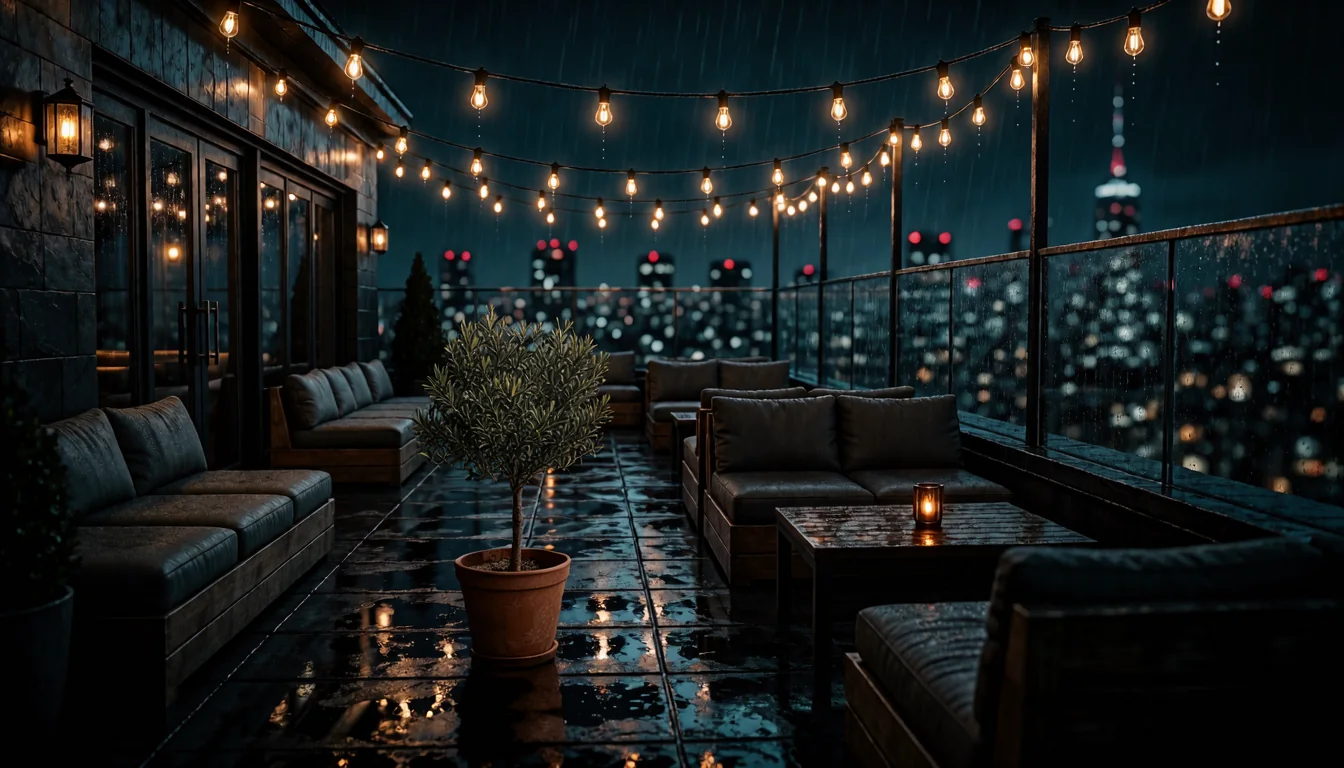
A box drawn between the sofas marked the spot. Klein added a potted olive tree there and kept the rest of the photo.
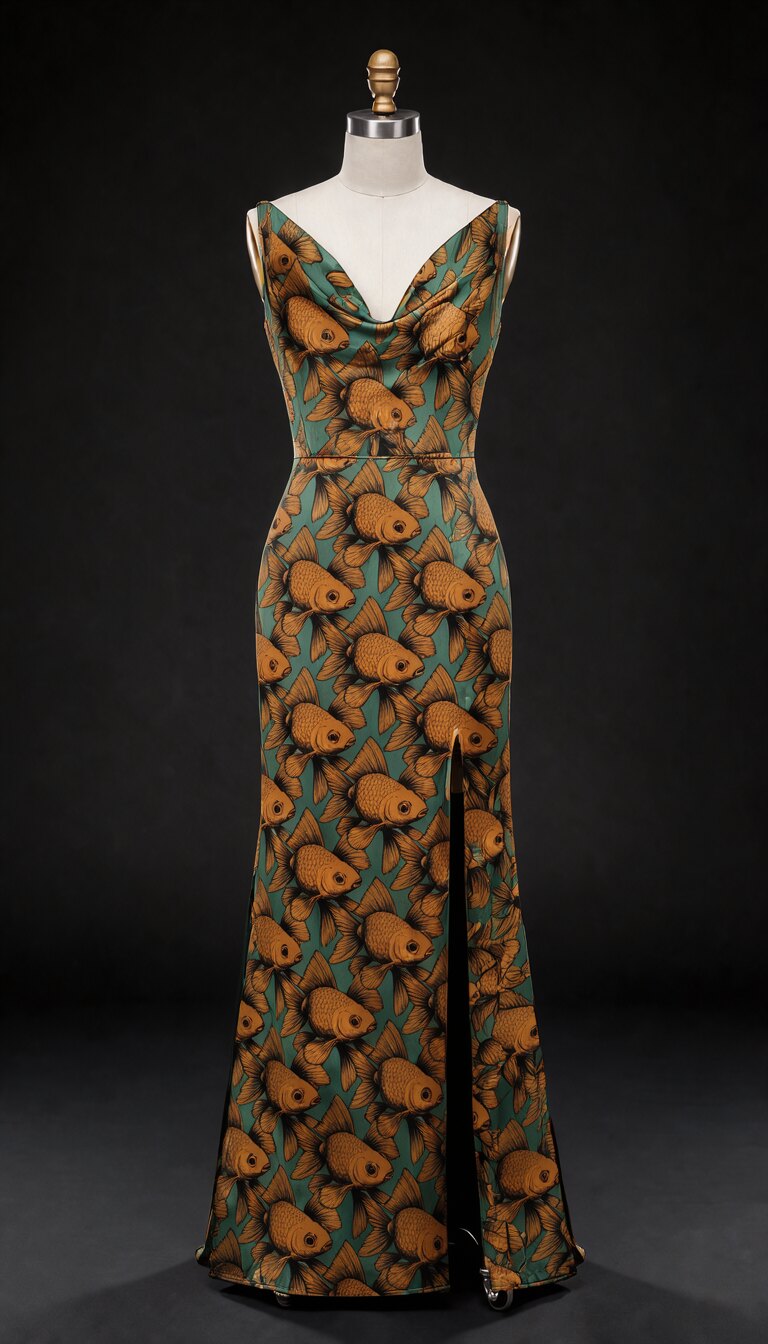
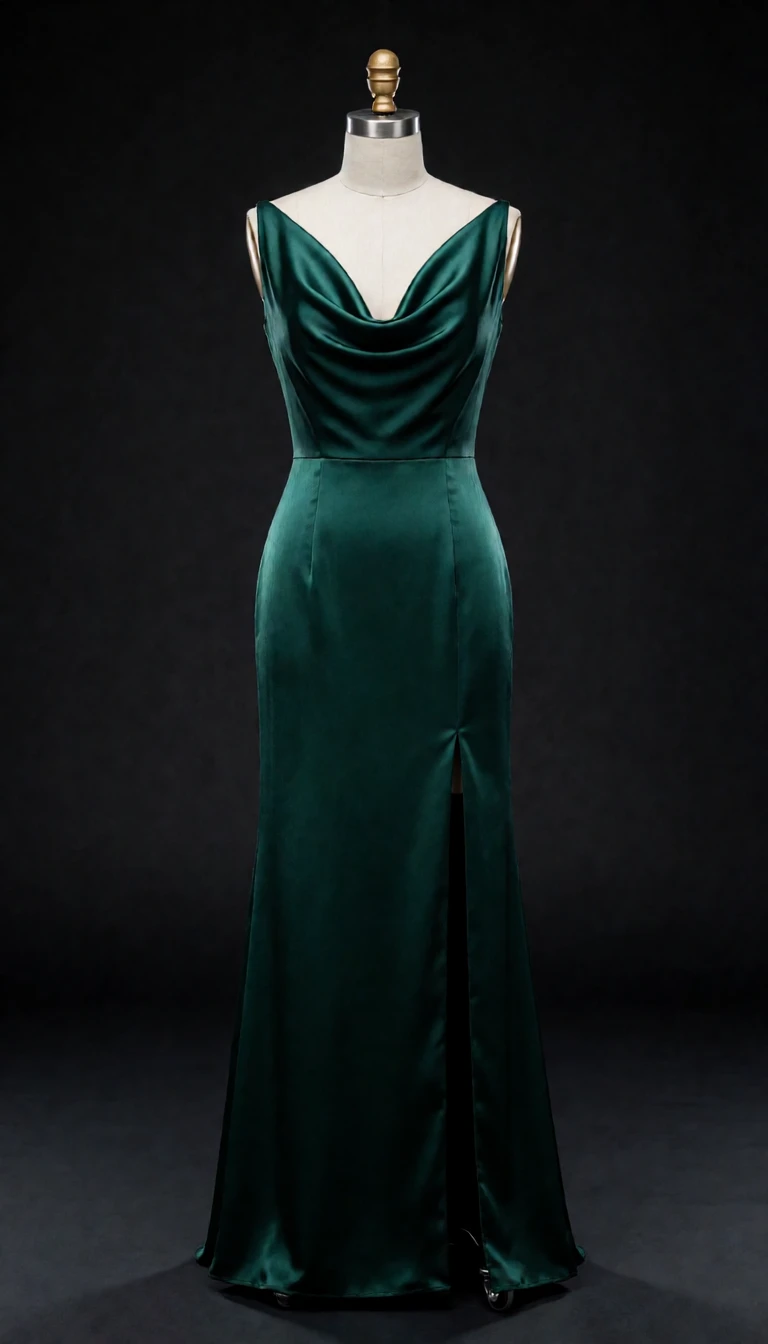
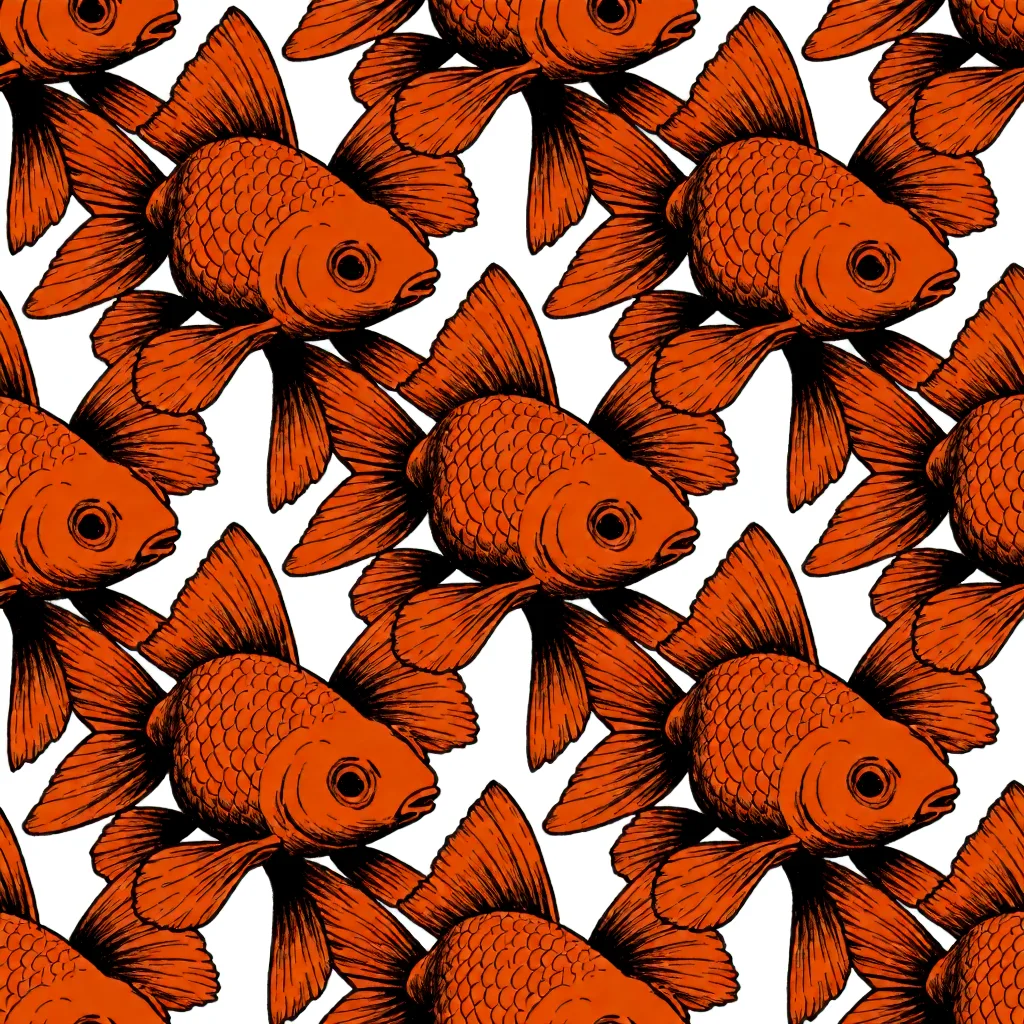
Started from 2 photos
Edit · 2 photos
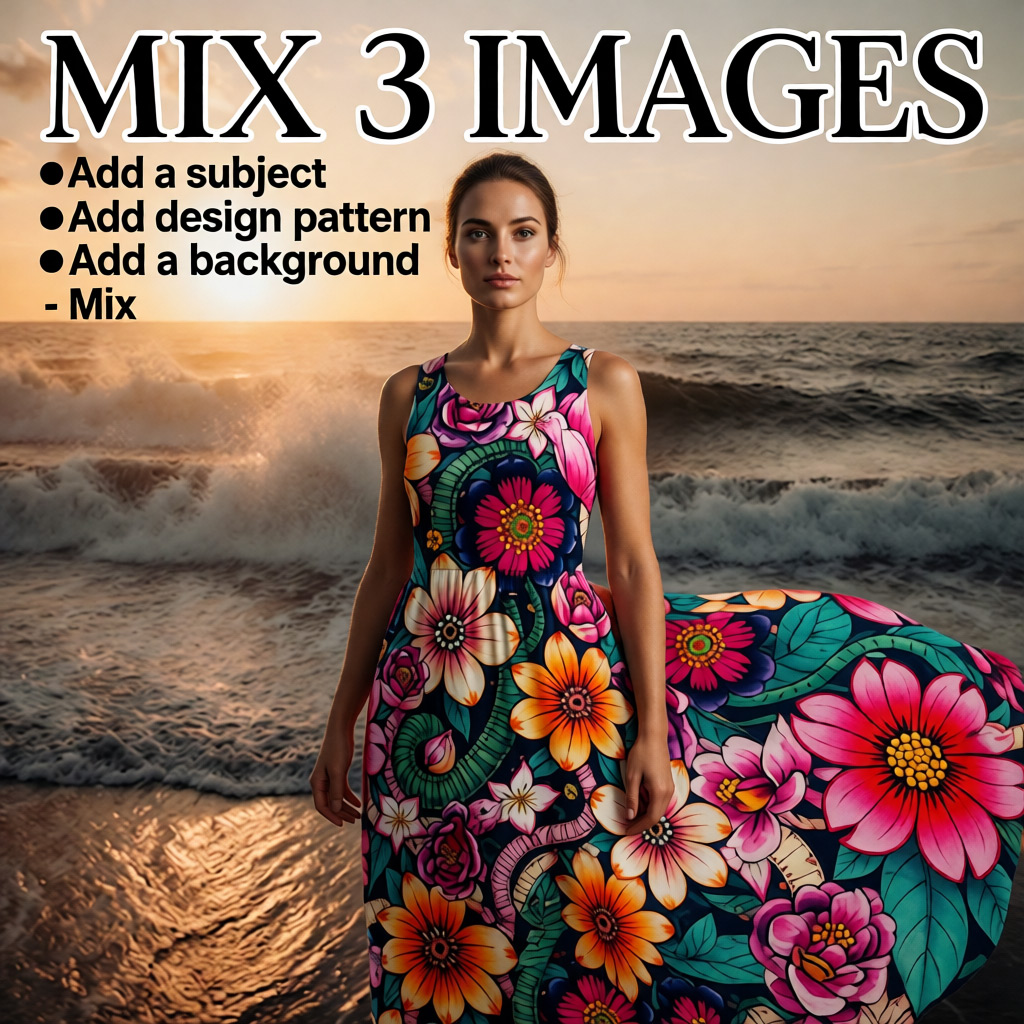
The goldfish pattern from the second photo, printed all over the gown. The dress shape, the dress form and the background are unchanged.
Rendered on Sogni at 16 steps, each at its photo’s own size: 1024 × 1024, 1344 × 768 and 768 × 1344. The prompts are under How to use FLUX 3 Image Klein on Sogni.
About
FLUX 3 Image Klein is the fast, open-weights version of FLUX 3 Image from Black Forest Labs, the team behind FLUX, released on October 15, 2026. One 5.6-billion-parameter model creates images from text, edits photos, combines up to ten reference images and sets the words you quote as text in the image.
It is built for speed. On an RTX 5090, a 1024 × 1024 image took 1.9 s, against 3.7 s for Krea 2 Turbo, and a one-photo edit took 3.6 s, against 8.4 s for Qwen Image Edit 2511 Lightning and 9.7 s for Krea 2 Identity Edit. Larger models such as Krea 2 and Qwen Image still win on some images.
On Sogni it runs on the Supernet, a network of community GPUs: use it in the browser or the app, or call it through the API, with nothing to download. Text-to-image renders at any size from 256 to 4096 px per side, including 4K, from 1.80 Spark per image.
What FLUX 3 Image Klein can do
You provide
You get
A prompt
An image at any size from 256 to 4096 px per side, including 4K.
A photo and an instruction
The photo edited at its own size, up to 4 megapixels.
A photo and a box
An object added, moved, resized or removed where you drew the box. See Edit by box.
Up to ten reference images
One new image that combines people, products, places or styles from all of them.
A guide image
A new image shaped by the guide; the strength setting sets how closely it follows.
Words in quotes
Those words set as text in the image, for posters, labels, packaging and signs.
One render uses either a guide image or reference images, not both.
How to use FLUX 3 Image Klein on Sogni
Create from text — Open the image creator with FLUX 3 Image Klein selected, or pick it under Next-Gen Diffusion in the model picker. 16 steps is the default; 4 works for quick drafts.
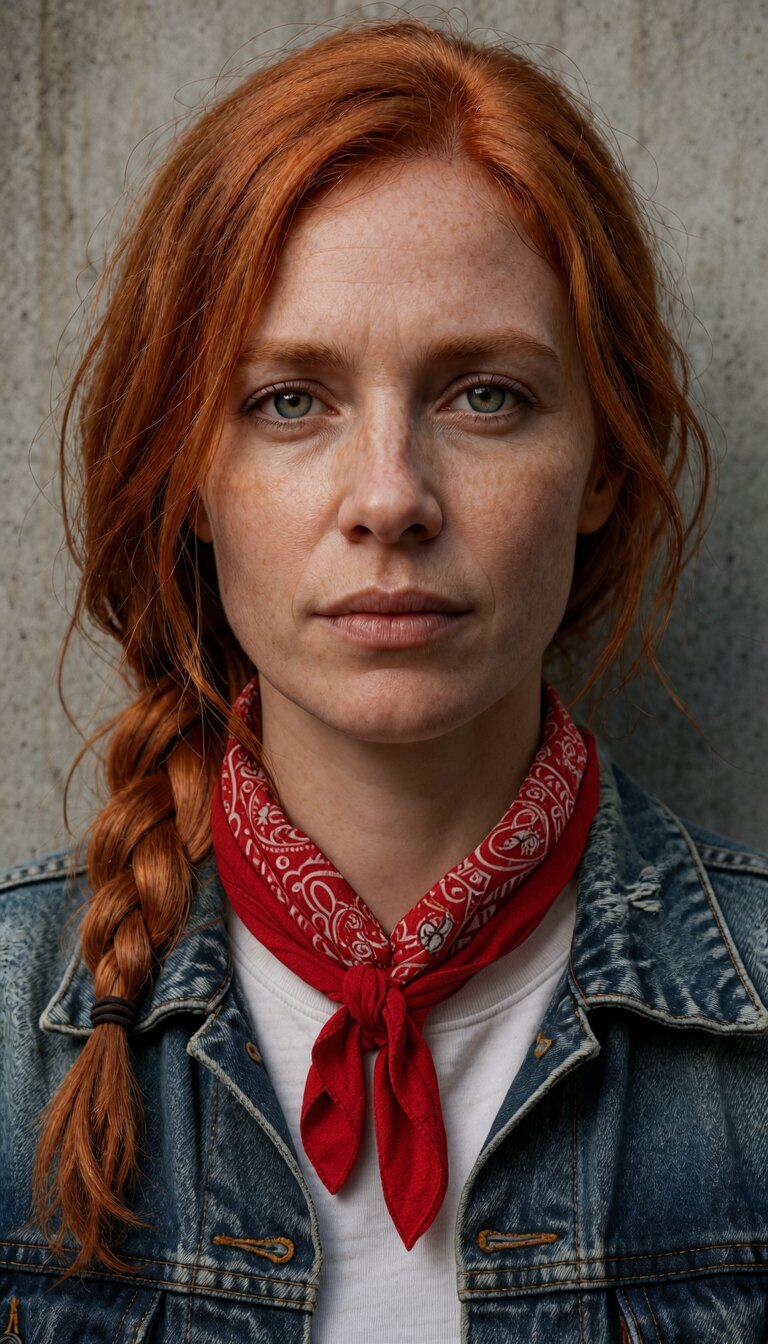
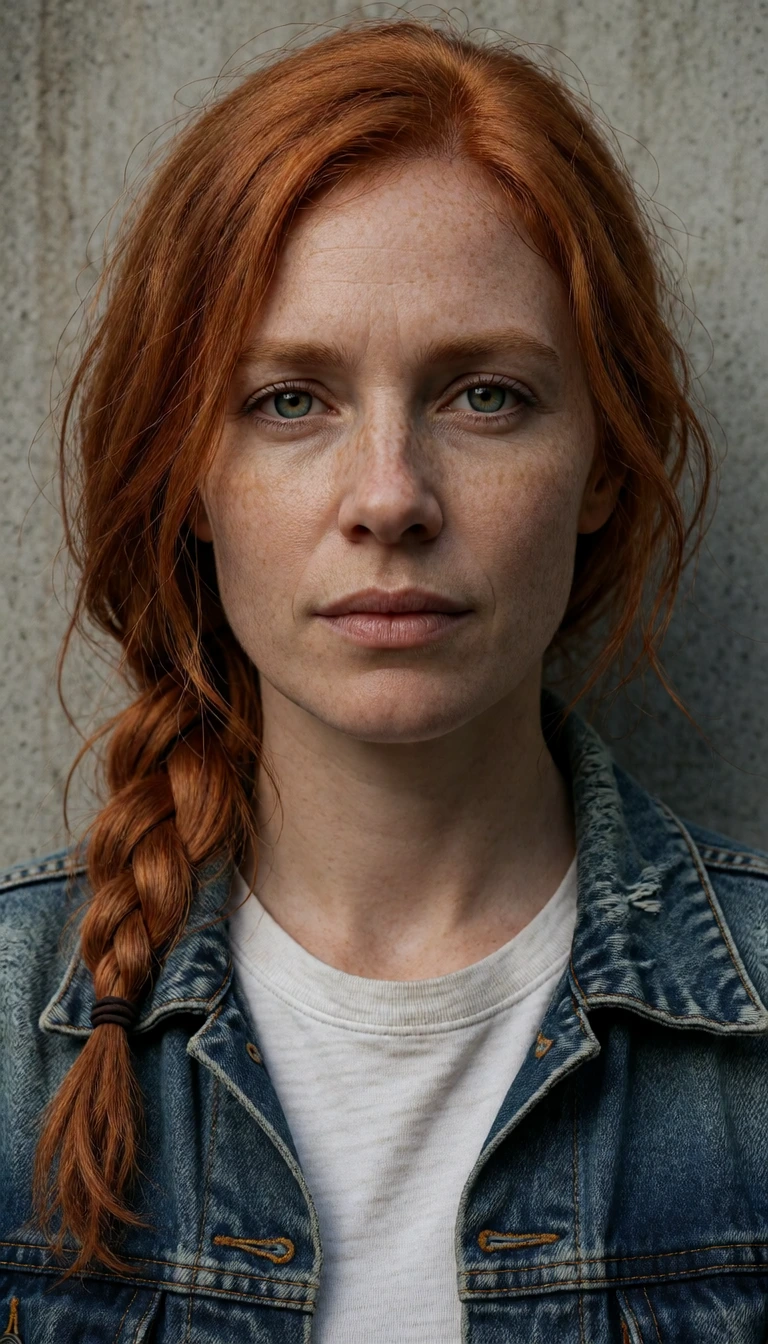
Edit a photo — Choose FLUX 3 Image Klein from Image Editing on Home, add the photo and describe the change, such as “tie a red bandana around her neck”. Say what should stay the same.
Edit by box — With one photo attached, draw a box where something should be added, moved, resized or removed. See how it works.
Combine several images — Add up to ten reference images and refer to them by order: “print the goldfish pattern from the second image all over the green dress in the first image”.
Build with it — Call flux3_image_klein_sd_int8_convrot through the Sogni API and SDKs, or flux-3-klein on the creative tools generate_image and edit_image. Code is in the API section and the FLUX 3 Image Klein guide.
Put a glowing camping lantern on the ground next to the bicycle's back wheel. Keep everything else unchanged.
Olive tree in a drawn box · 1 photo · 1344 × 768, seed 4102, 3.7 s
In <ref_image_0>, add a potted olive tree <tree_1> on the wet floor between the sofas. Keep the rest of the image completely unchanged.

[{"id":"tree_1","from":null,"src_bbox":null,"tgt_bbox":[400,300,880,450],"desc":"a potted olive tree in a terracotta pot"}]
Goldfish print on the gown · 2 photos · 768 × 1344, seed 4103, 5.9 s
Print the goldfish pattern from the second image all over the green dress in the first image, as a fabric print. Keep the dress shape, the dress form and the background unchanged.
Edit by box
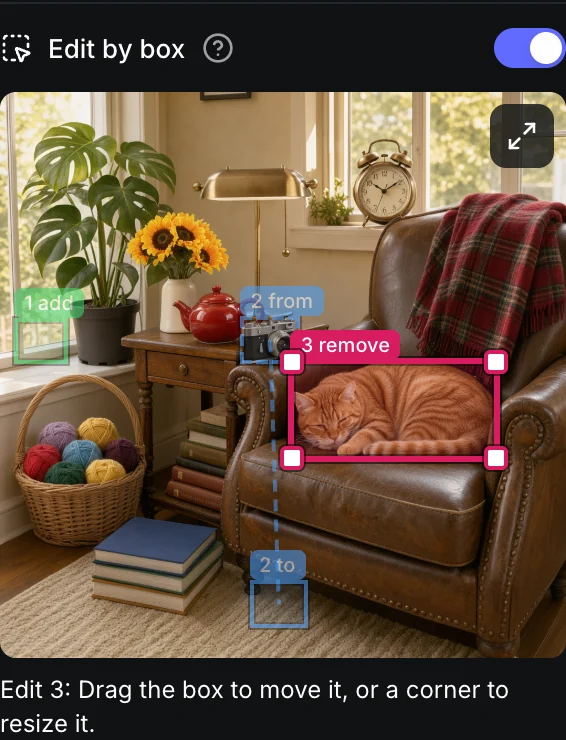
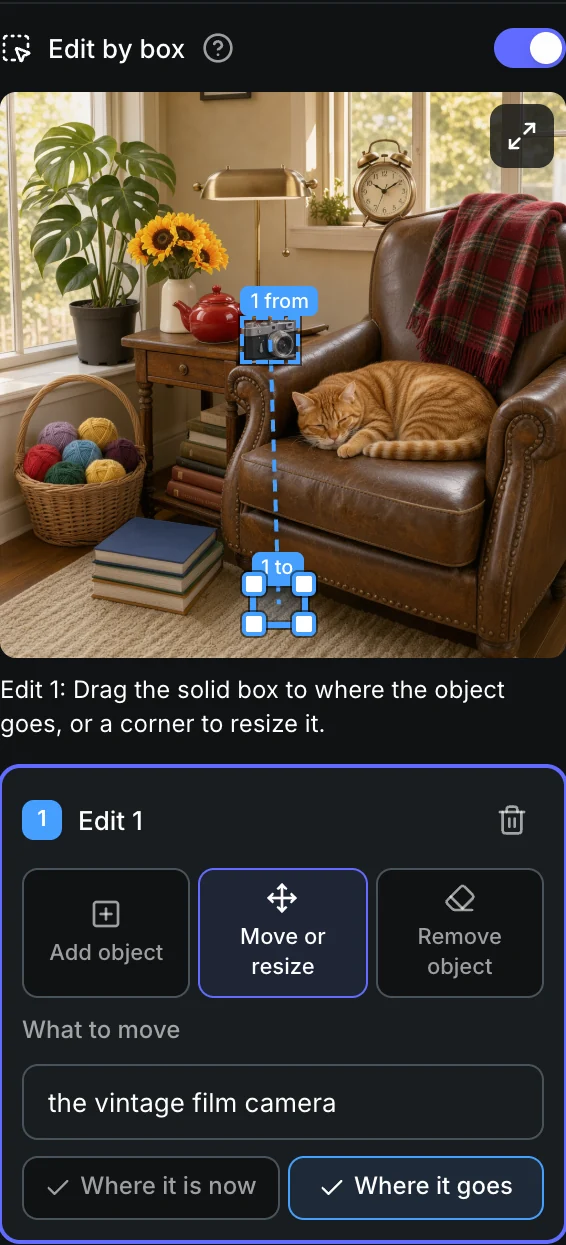
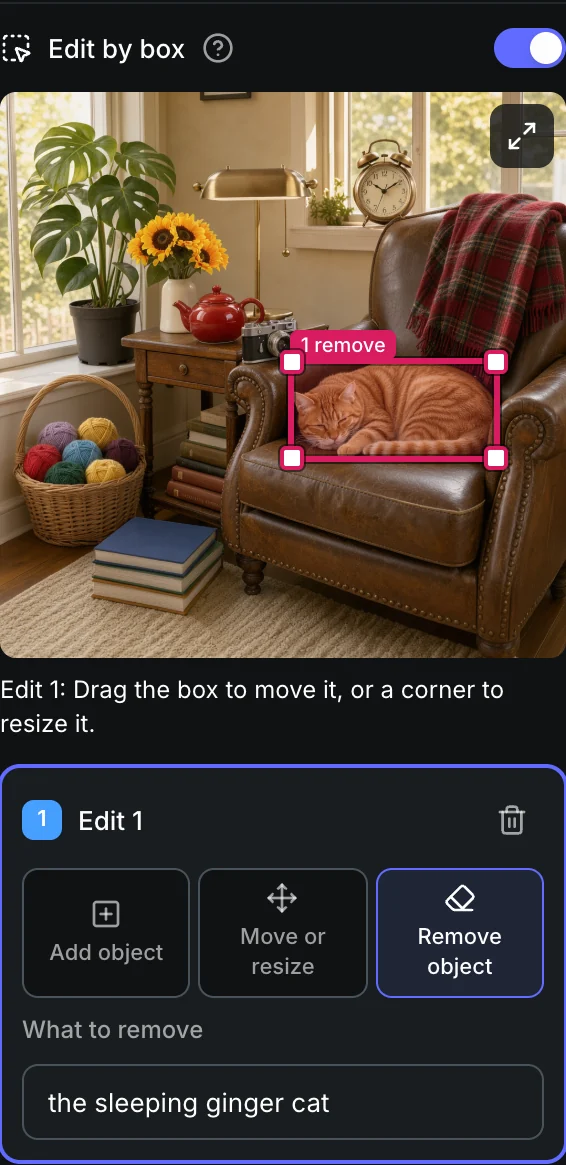
Edit by box lets you point at the part of a photo you want changed. In the Sogni web app, choose FLUX 3 Image Klein, attach one photo and turn on Edit by box. Draw a box, pick Add object, Move or resize or Remove object, and name the object. Klein changes what you marked and keeps the rest of the photo.
Add objectDraw a box where the new object goes and say what it is. Move or resizeBox the object, then drag the second box to where it goes. Drag a corner to resize it. Remove objectBox the object to take out.Up to three at onceEach edit gets its own numbered box.
A real edit: an olive tree in a drawn box
The photo, with the boxAdd object: “a potted olive tree in a terracotta pot” FLUX 3 Image Klein1344 × 768 · 16 steps · 3.7 s
One edit per render is the most reliable — You can draw up to three; with several, one can be missed.
Boxes set place and size — They are not exact cutouts.
Give new objects room — A very small box often stays empty.
Ten reference images in one scene
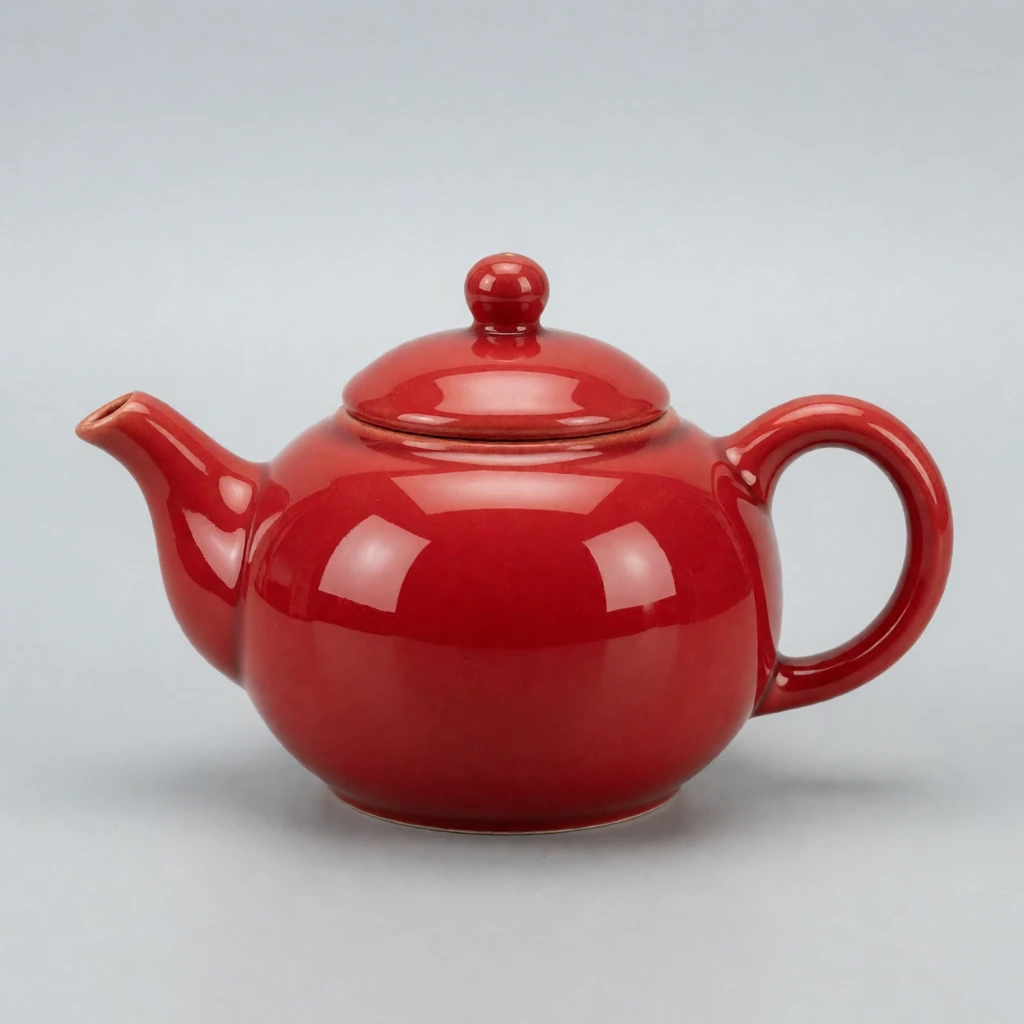
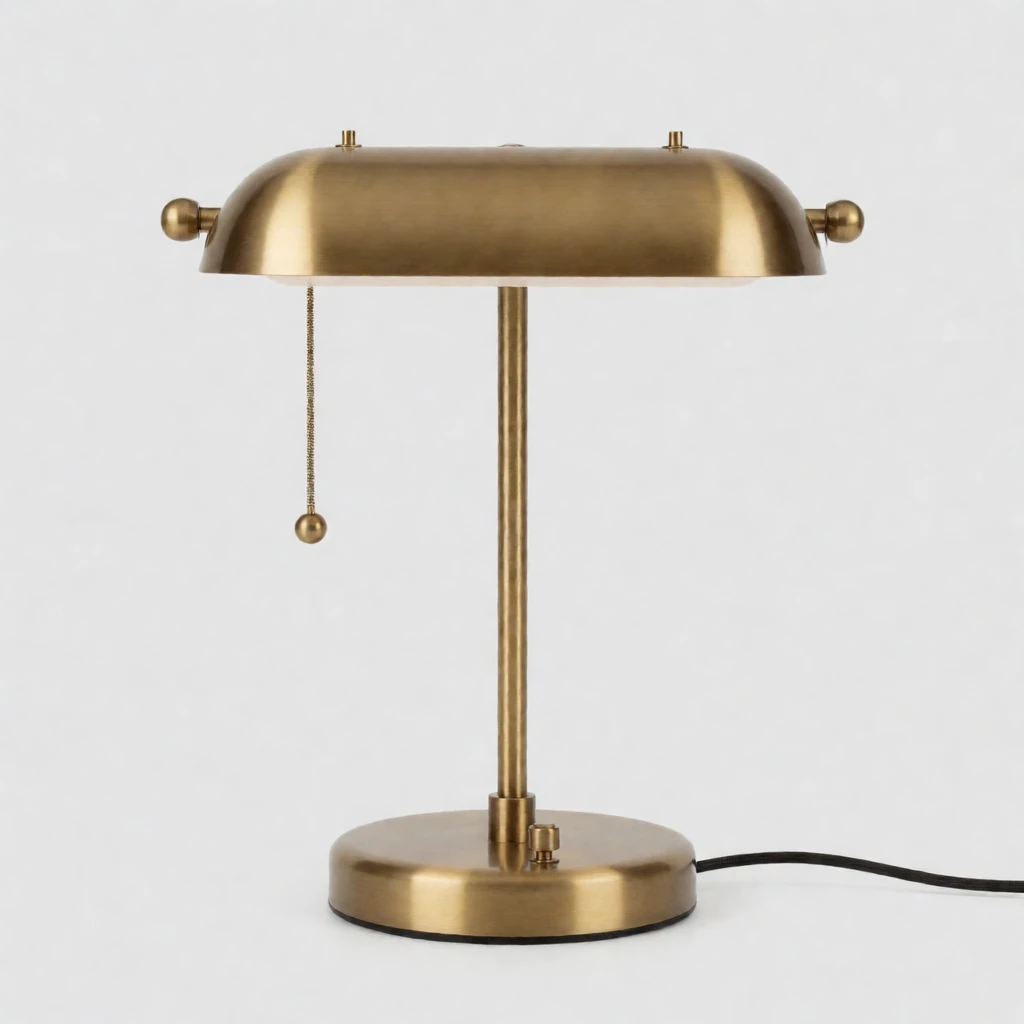
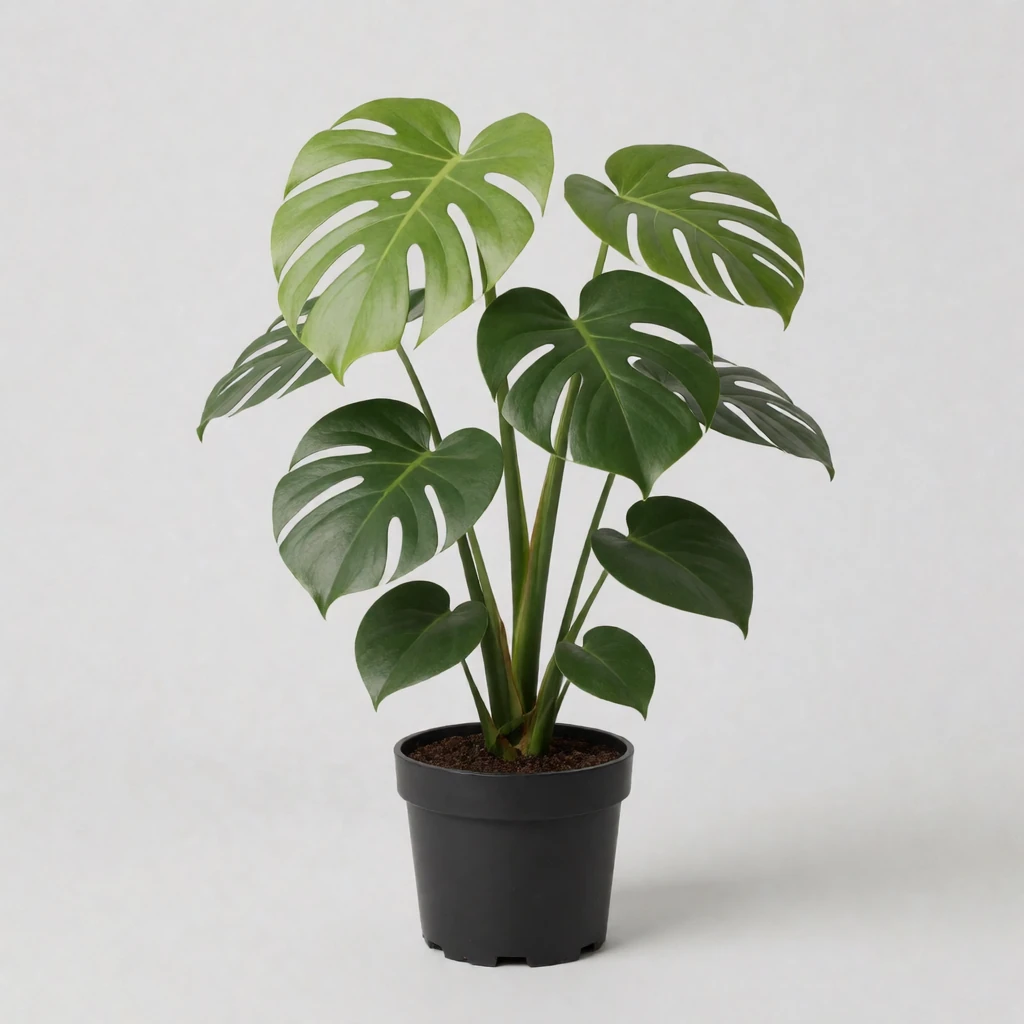
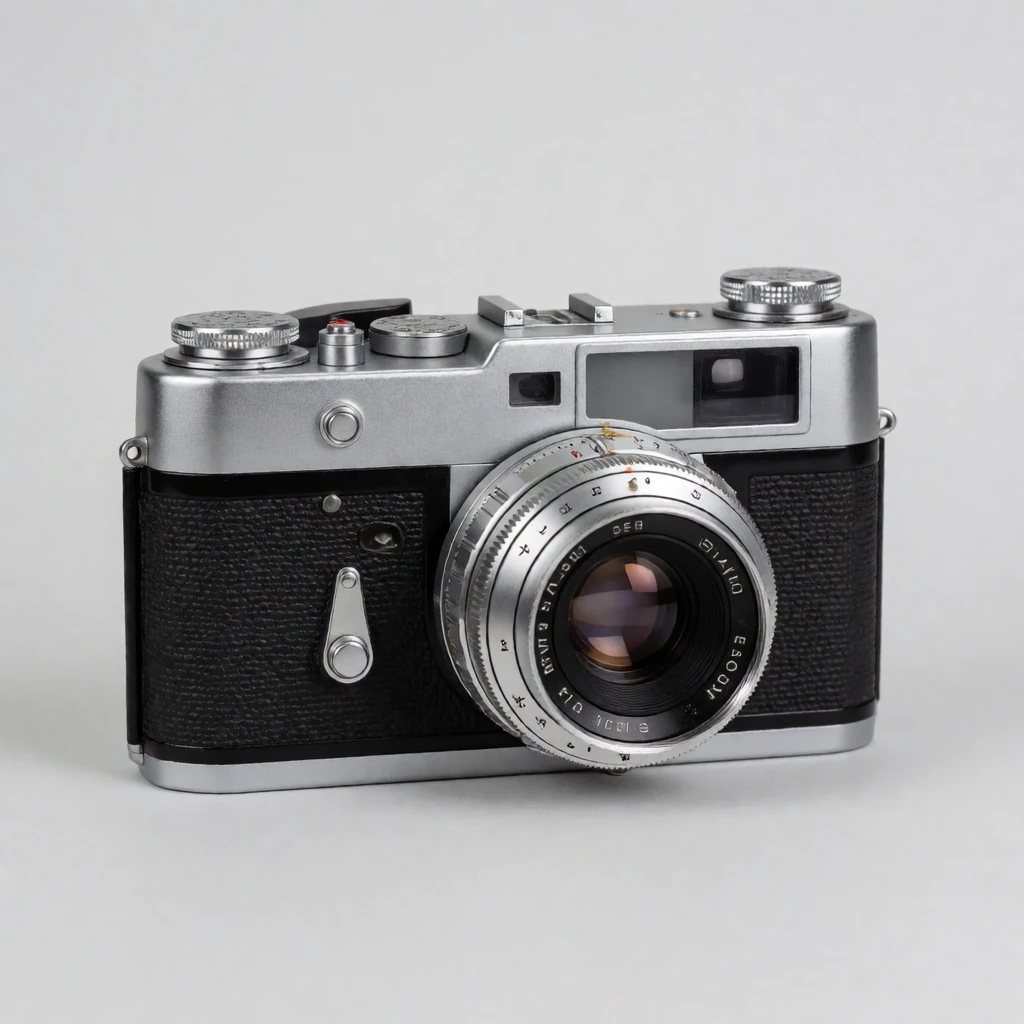
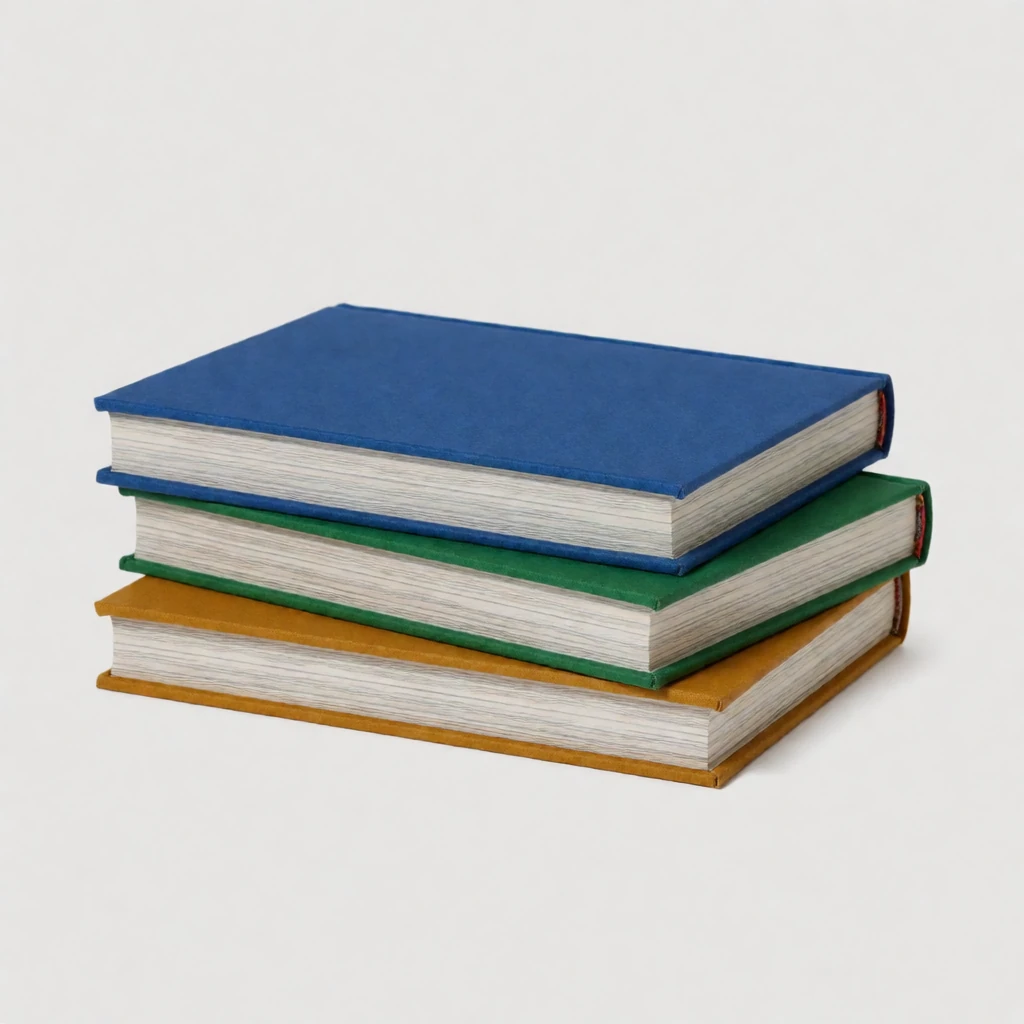
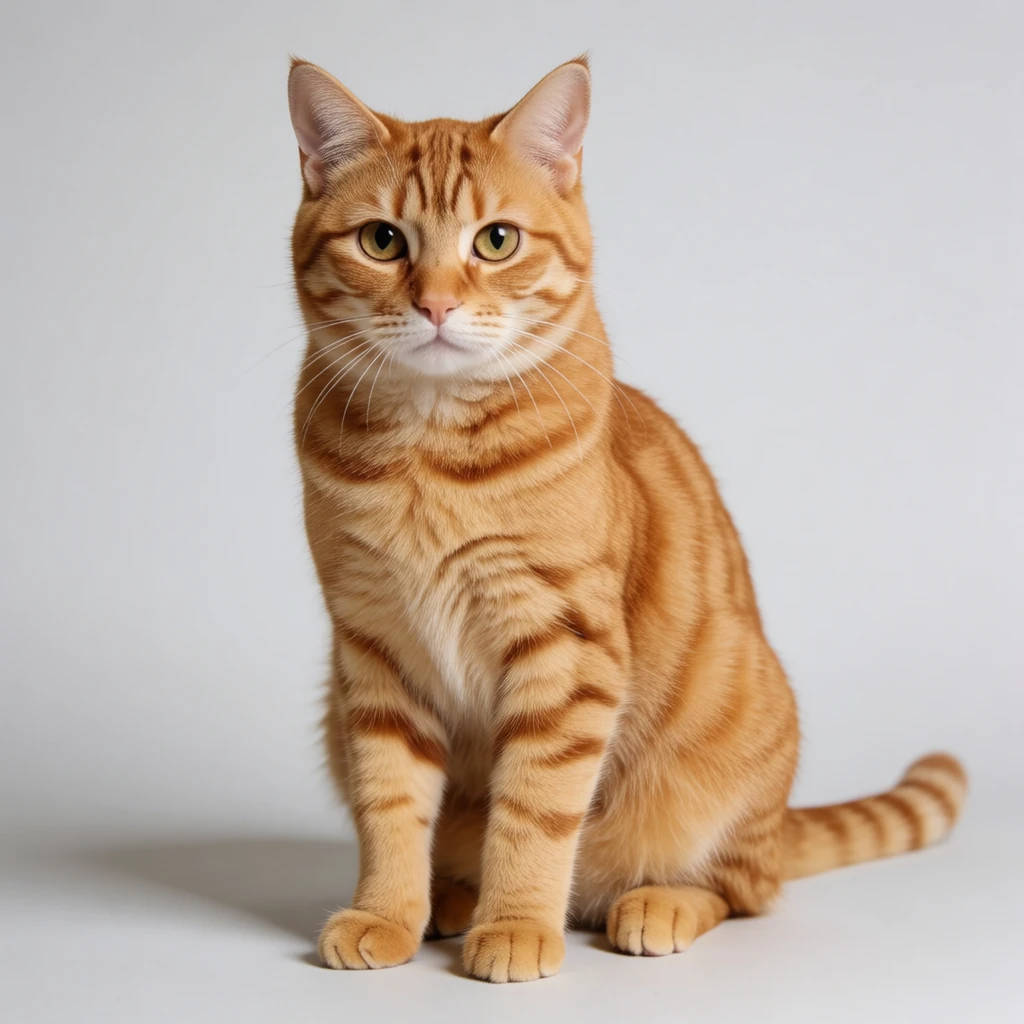
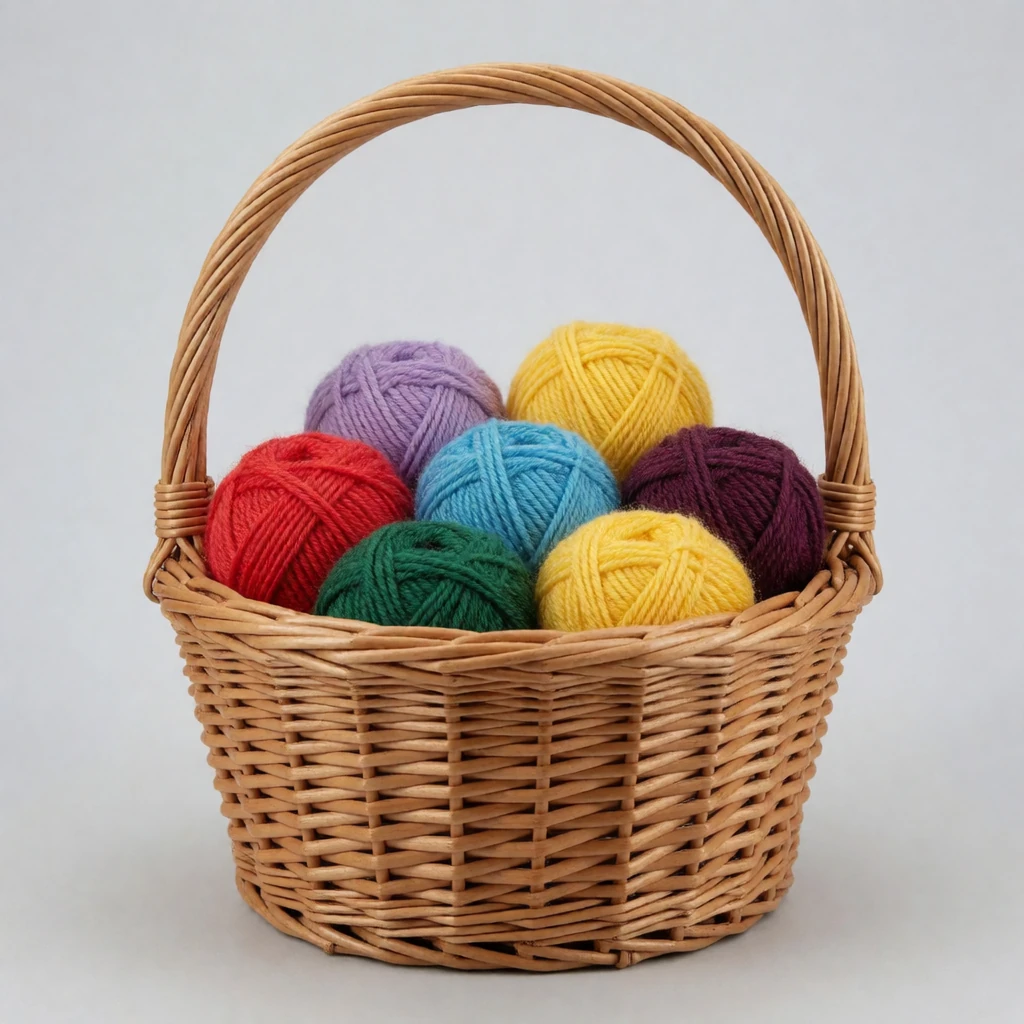
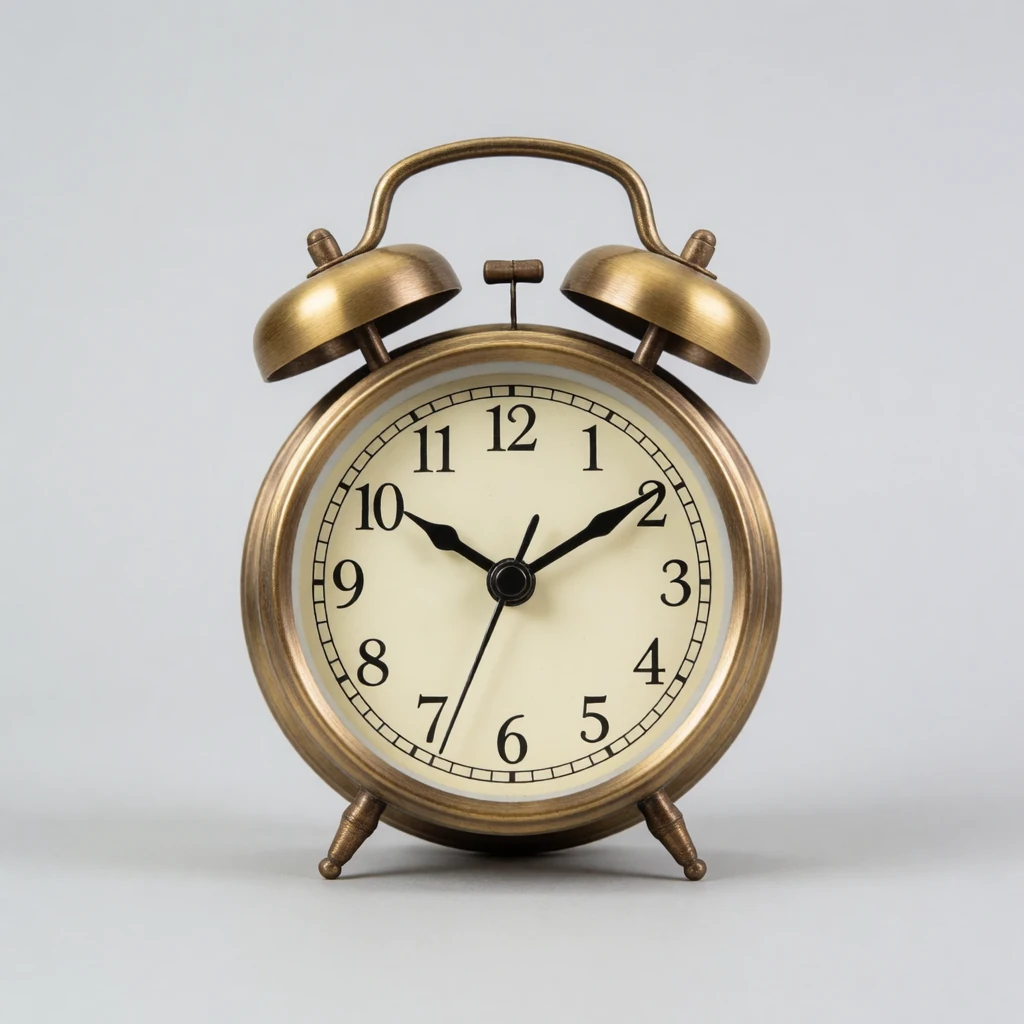
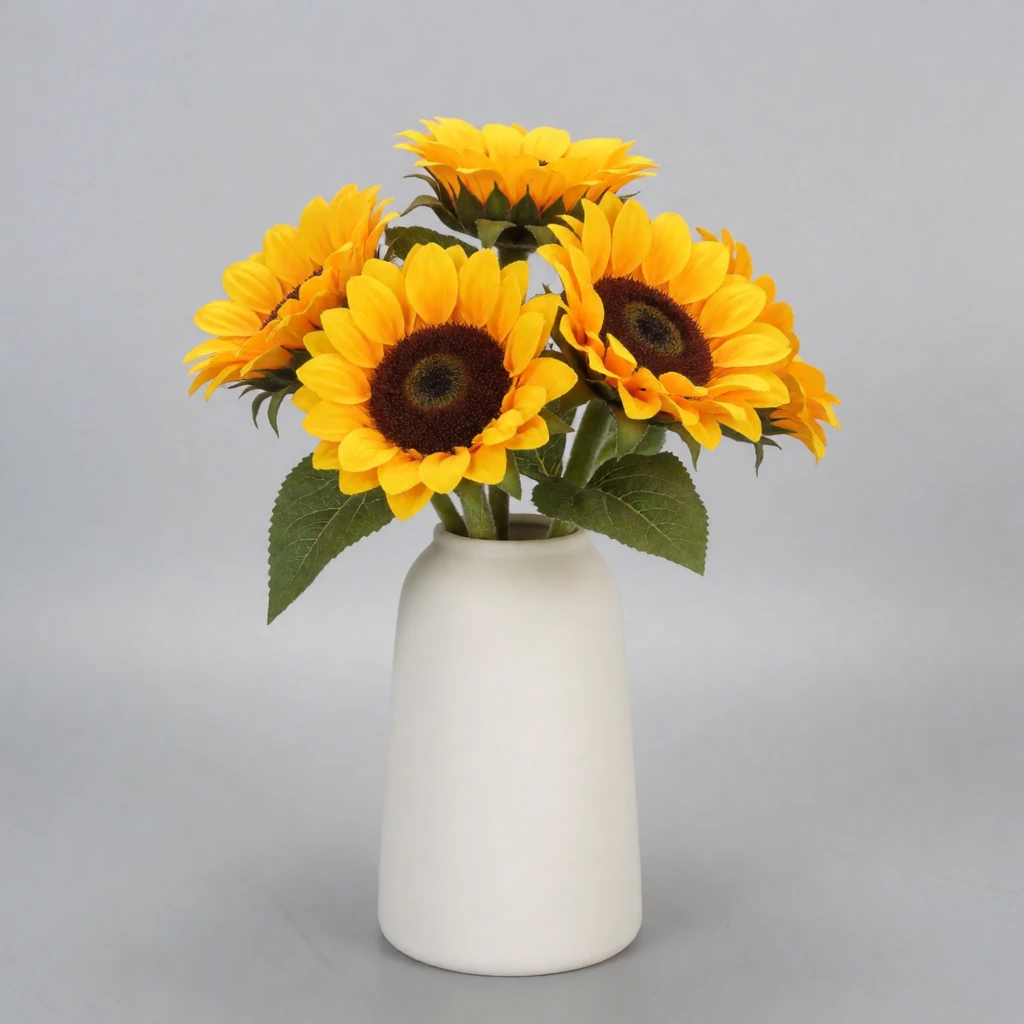
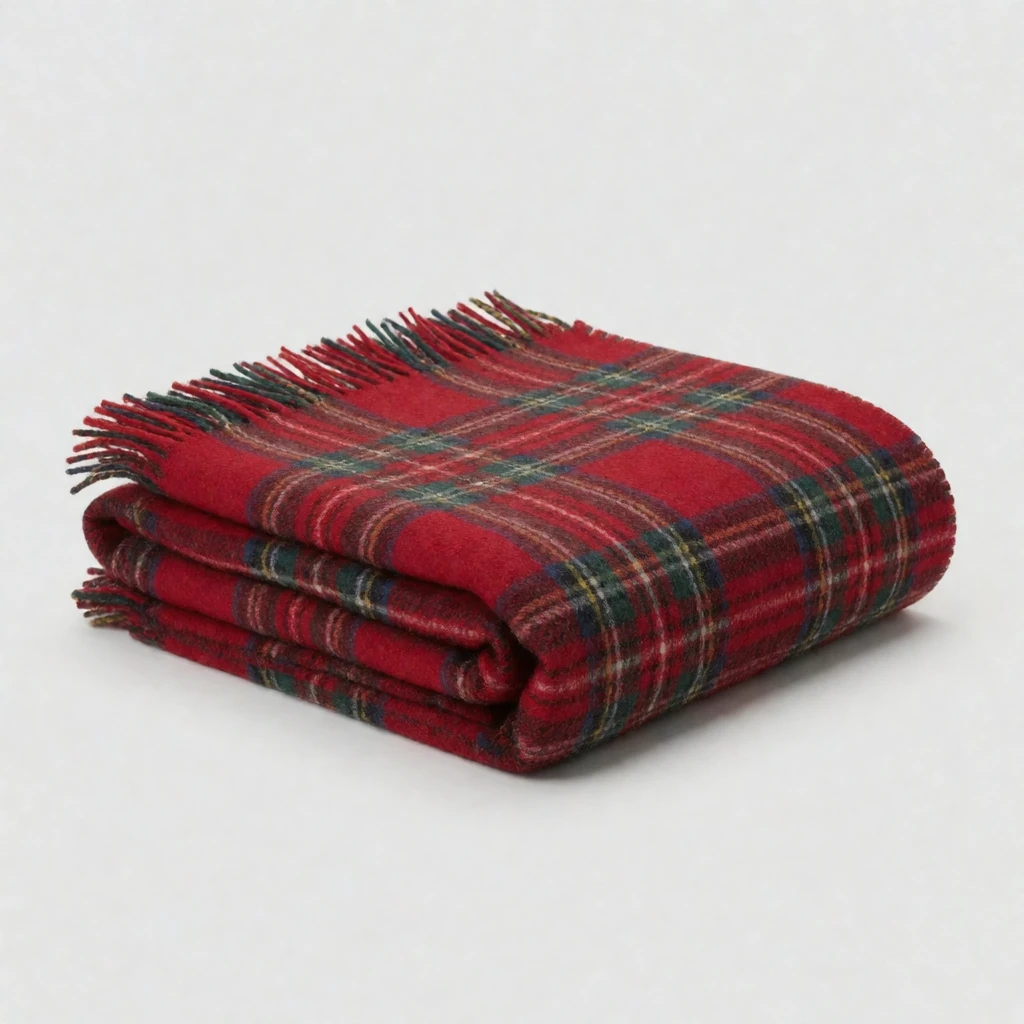
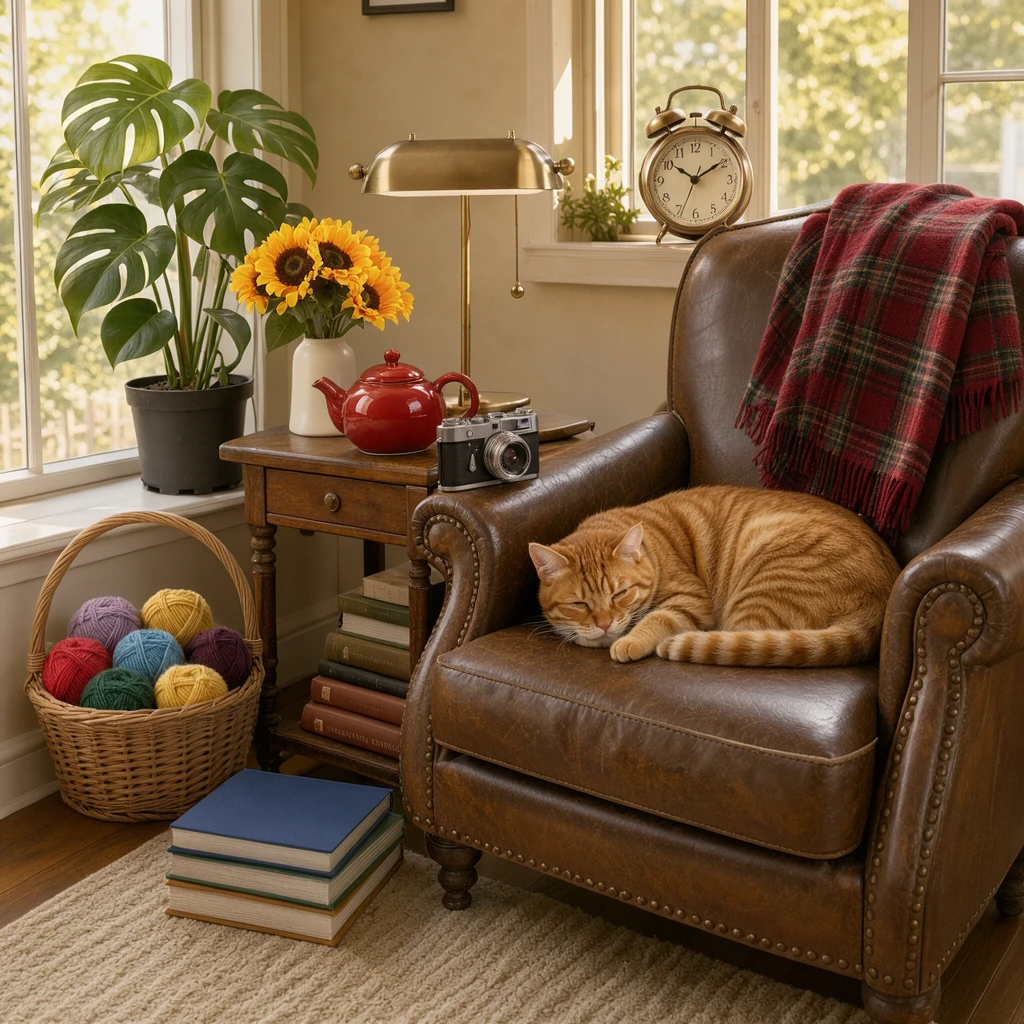
Klein takes up to ten reference images in one render. We made ten product photos with Krea 2 Turbo and asked Klein to build one reading nook from all of them. Every object made it into the room, in 36.6 s on an RTX 5090.
FLUX 3 Image Klein, all ten references1024 × 1024 · 16 steps · 36.6 s The prompt
A cozy reading nook on a sunny afternoon, warm light from a tall window. The red ceramic teapot from the first image sits on a small wooden side table beside a worn leather armchair. The brass desk lamp from the second image stands on the table behind the teapot. The potted monstera from the third image fills the corner by the window. The vintage film camera from the fourth image rests on the armrest of the chair. The stack of hardcover books from the fifth image lies on the floor beside the chair. The ginger tabby cat from the sixth image naps curled up on the armchair cushion. The wicker basket of yarn from the seventh image sits on the floor by the window. The brass alarm clock from the eighth image stands on the windowsill. The vase of sunflowers from the ninth image stands on the side table beside the lamp. The red plaid blanket from the tenth image is draped over the back of the armchair. Natural colors, photograph.
The same scene with one to nine references, and the side-by-side tests against Krea 2 Identity Edit and Qwen Image Edit 2511 Lightning, are in the full comparison on the Sogni blog.
Prompting tips
Describe the whole scene — Subject, framing, setting, light and style, in full sentences. In the web app, the Prompt Enhancer turns a short prompt into a full description first; turn off Auto under the Enhance button to send your words as typed.
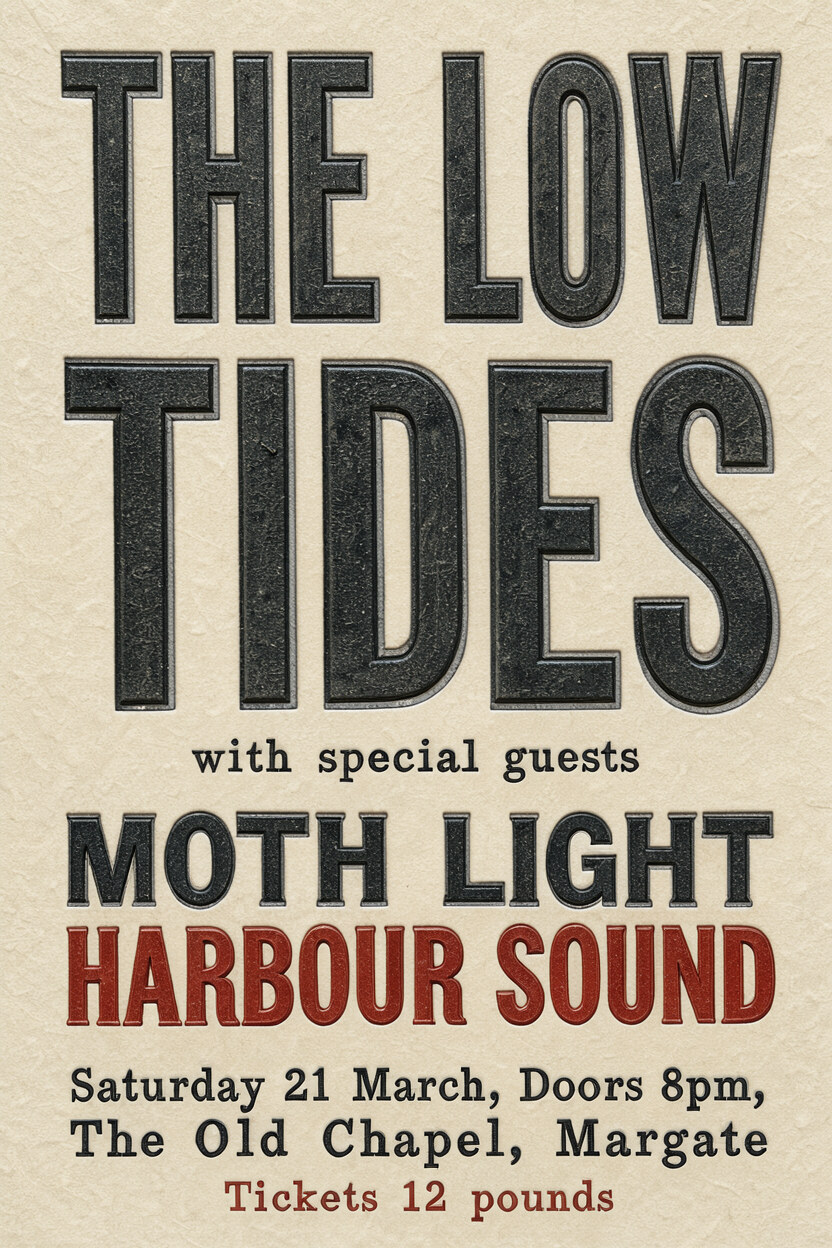
Put exact text in quotes — Say where the words go and how they look: ‘THE LOW TIDES’ very large at the top, in black wood type. End with “nothing else written” to keep stray lettering out.
Name references by order — The first image, the second image and so on, and say what to take from each.
Say what stays the same — In an edit, name what must not change, such as the background, the light and the framing.
Ask for what you want — A negative prompt has no effect, so ask for “a clean, empty desk” rather than “no clutter”.
Layout boxes in a prompt
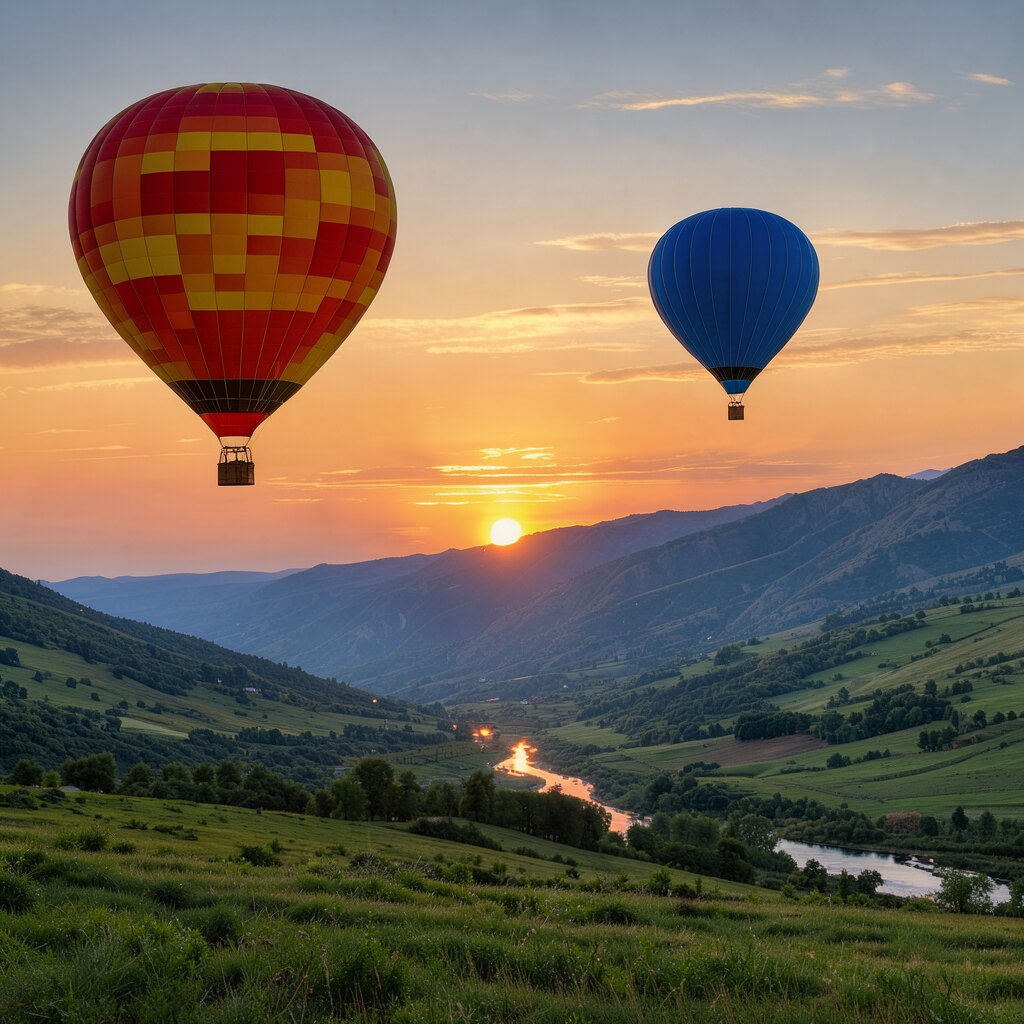
Edit by box writes boxes into the prompt for you. You can also write them yourself, in a text-to-image prompt or through the API: tag each element with an id in angle brackets, such as <obj_1>, and end the prompt with a list giving each id a box as [top, left, bottom, right] on a 0–1000 grid and a short description. The balloons in the gallery were placed this way:
Two balloons placed with layout boxes
Full-color outdoor photograph at sunrise, with a broad dawn sky <sky_1> above a green valley <valley_1>. On the left, a large hot-air balloon <obj_1> floats over the valley, while a smaller blue hot-air balloon <obj_2> hangs farther back on the right. Along the horizon, the rising sun <sun_1> appears between distant mountain ridges <mountain_1>, casting low orange light across the slopes and leaving the foreground meadow in cooler shadow. [{"id": "obj_1", "bbox": [80, 60, 480, 380], "desc": "A large red and yellow striped hot-air balloon with alternating vertical fabric panels, a rounded envelope, dark suspension cables, and a small rectangular wicker basket hanging below; the lower edge of the envelope is partly shaded by the sunrise angle."}, {"id": "obj_2", "bbox": [200, 620, 420, 800], "desc": "A small blue hot-air balloon with a rounded cobalt-blue envelope, narrow darker seams, fine suspension lines, and a tiny brown basket."}, {"id": "sky_1", "bbox": [0, 0, 650, 1000], "desc": "A clear sunrise sky grading from pale orange near the horizon through peach to muted blue overhead, with several thin horizontal clouds catching warm light."}, {"id": "sun_1", "bbox": [470, 455, 535, 525], "desc": "A low circular sunrise disk in bright yellow-orange, partially veiled by the distant ridge line."}, {"id": "mountain_1", "bbox": [430, 0, 690, 1000], "desc": "Layered distant mountain ridges forming an uneven horizon, with blue-gray silhouettes in front and warmer brown-green slopes along their upper edges."}, {"id": "valley_1", "bbox": [560, 0, 1000, 1000], "desc": "A broad green valley with rolling grassy slopes, scattered darker tree masses, and a winding river reflecting a narrow strip of orange morning light; the nearest meadow contains patches of deep green shadow and uneven vegetation."}]
Speed and price against the other fast open image models on Sogni
Time for one 1024 × 1024 image on an RTX 5090 with the model loaded, and its price, at each model’s default settings.
Model
GPU time, RTX 5090
Spark per image
On Sogni
Default steps
Made by · size
License
FLUX 3 Image Klein
1.9 s 3.6 s for a 1 MP edit with 1 reference
1.80 2.19 for a 1 MP edit with 1 reference
Text-to-image, guide image, edits from 1–10 optional references
Spark per 1024 × 1024 image at each model’s default steps (1 Spark = $0.005); edit models with one reference image. Sizes are parameter counts as each maker publishes them. Sogni’s Unlimited plans cover all of these under fair use.
1-megapixel edits on one RTX 5090 with each model loaded. In the same test, Klein was the only one of the three to change a line of printed text correctly. Every image is in the full comparison on the Sogni blog.
Which one to pick
Speed — Klein was the fastest model in this test: about 1.9 s per image and 3.6 s per photo edit.
One model for creating and editing — Draft from text and revise with edits without switching models.
More references — Klein takes up to ten. Qwen Image Edit 2511 Lightning takes three and Krea 2 Identity Edit two.
LoRAs and personas — Krea 2 Turbo has Sogni’s LoRA catalog and persona LoRAs.
The most detail — Krea 2 (12 billion parameters) and Qwen Image (20 billion) are larger than Klein (5.6 billion) and were ahead on some images in our tests.
From Black Forest Labs
Black Forest Labs calls FLUX 3 Image Klein “the most capable open weights image model” and describes it as “frontier quality with the speed and customization of open weights”. In its launch post, Klein ranks first among open-weights models in Black Forest Labs’ own evaluations for text-to-image, multi-reference generation and image editing, and runs on consumer GPUs down to an RTX 3090.
What it makes — photography with “detailed skin, fabric, weather, and light”; illustration from woodblock and mosaic to clay, pixel art and anime; and type and design.
Two versions — the distilled Klein (16 steps), which Sogni runs, and the undistilled Klein Base (50 steps) for fine-tuning, LoRA training and research.
Your own LoRAs — Sogni Unlimited members can import Klein LoRAs from Civitai or Hugging Face in My LoRAs.
FLUX.2 [klein] is Black Forest Labs’ earlier compact family, released in January 2026 in 4B and 9B sizes. FLUX 3 Image Klein is a newer, different model. In Black Forest Labs’ evaluations it scores 91 Elo higher than FLUX.2 [klein] 9B in text-to-image and 70 higher in image editing, with 38% fewer parameters. The licenses differ too: FLUX.2 [klein] 4B is Apache 2.0 and 9B is non-commercial; FLUX 3 Image Klein uses the FLUX Kommunity License.
Pricing
Use pay-as-you-go Spark packs for each render (1 Spark = $0.005), or choose a flat-rate Sogni plan for credit-free fair-use generation in the app.
1920 × 1088 · 16 steps · one 2 MP photo edited at its own size
5.35 Spark
$0.027
2352 × 1776 · 16 steps · one 4 MP photo edited at its own size (the largest one-photo edit)
14.3 Spark
$0.071
1024 × 1024 · 16 steps · 2 references
3.45 Spark
$0.017
1024 × 1024 · 16 steps · 3 references
4.88 Spark
$0.024
1024 × 1024 · 16 steps · 4 references
6.73 Spark
$0.034
1024 × 1024 · 16 steps · 5 references
8.74 Spark
$0.044
1024 × 1024 · 16 steps · 6 references
10.7 Spark
$0.054
1024 × 1024 · 16 steps · 7 references
13.7 Spark
$0.068
1024 × 1024 · 16 steps · 8 references
16.4 Spark
$0.082
1024 × 1024 · 16 steps · 9 references
19.2 Spark
$0.096
1024 × 1024 · 16 steps · 10 references
22.3 Spark
$0.11
Text-to-image costs 1.80 Spark ($0.009) per image at the default 16 steps, up to about 1.5 megapixels; larger images scale with pixels, and fewer steps cost less. A one-photo edit runs at the photo’s own size, up to 4 megapixels: 2.19 Spark at 1 MP, 5.35 at 2 MP and 14.25 at 4 MP.
On an RTX 5090, a 3840 × 2160 image took 27 s and a 4096 × 4096 image 94 s. A one-photo edit took 3.6 s at 1 MP, 8.3 s at 2 MP and 22.1 s at 4 MP.
API
One Sogni API key reaches every model on the Supernet — call FLUX 3 Image Klein with the exact model id.
import { readFile } from 'node:fs/promises';
import { SogniClient } from '@sogni-ai/sogni-client';

const client = await SogniClient.createInstance({
  appId: crypto.randomUUID(),
  apiKey: process.env.SOGNI_API_KEY,
  network: 'fast',
});

// Text-to-image: leave contextImages out. Edits: add one to ten references.
const project = await client.projects.create({
  type: 'image',
  modelId: 'flux3_image_klein_sd_int8_convrot',
  positivePrompt:
    'Print the goldfish pattern from the second image all over the green dress in the first image, ' +
    'as a fabric print. Keep the dress shape, the dress form and the background unchanged.',
  contextImages: [await readFile('gown.jpg'), await readFile('goldfish.jpg')],
  numberOfMedia: 1,
});

const [url] = await project.waitForCompletion();
console.log(url); // result link — download within 24h
curl https://api.sogni.ai/v1/creative-agent/workflows \
  -H "Content-Type: application/json" \
  -H "Authorization: Bearer $SOGNI_API_KEY" \
  -d '{
    "input": {
      "title": "First render",
      "steps": [{
        "id": "step1",
        "toolName": "generate_image",
        "arguments": { "prompt": "Photograph of a white ceramic mug of coffee on a worn wooden table by a window, morning sun from the right casting a long shadow, shallow depth of field", "model": "flux-3-klein" }
      }]
    },
    "confirm_cost": true
  }'
The JavaScript example edits with two references; leave contextImages out for text-to-image. The curl example uses the creative tools workflow alias flux-3-klein, which edit_image also accepts. Settings and limits are in the FLUX 3 Image Klein guide. Full reference at docs.sogni.ai.
Made on Sogni
See what FLUX 3 Image Klein makes
Renders made on Sogni. Hit Use prompt on a text-to-image card to open the app with FLUX 3 Image Klein selected and the prompt filled in. Each edit shows the photo it started from.
Text-to-image · typography
a letterpress gig poster on cream stock, wood type: 'THE LOW TIDES' very large at the top, below it 'with special guests' small, then 'MOTH LIGHT' and 'HARBOUR SOUND' medium, at the bottom 'Saturday 21 March, Doors 8pm, The Old Chapel, Margate' and 'Tickets 12 pounds' in small caps, two inks, black and brick red, nothing else written
a 1960s cereal box, 'MORNING OATS' in bold rounded letters, 'with real honey' in a banner, a cartoon bear holding a spoon, 'NET WT 16 OZ' at the bottom corner and 'A good start to the day' in script, flat colours, photographed straight on
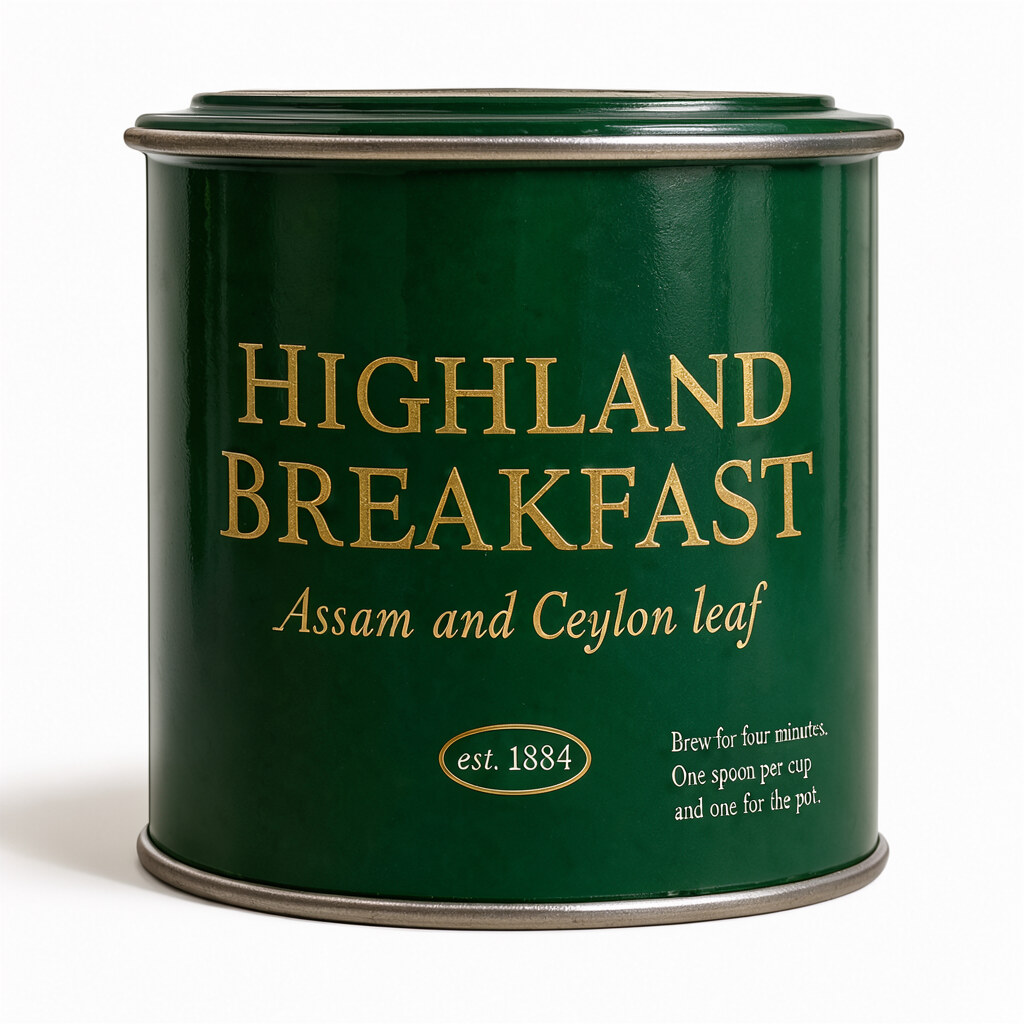
a tea tin, dark green enamel: 'HIGHLAND BREAKFAST' in gold caps on the front, 'Assam and Ceylon leaf' beneath, 'est. 1884' in a roundel, and on the side in small white type 'Brew for four minutes. One spoon per cup and one for the pot.', hard side light, product photograph
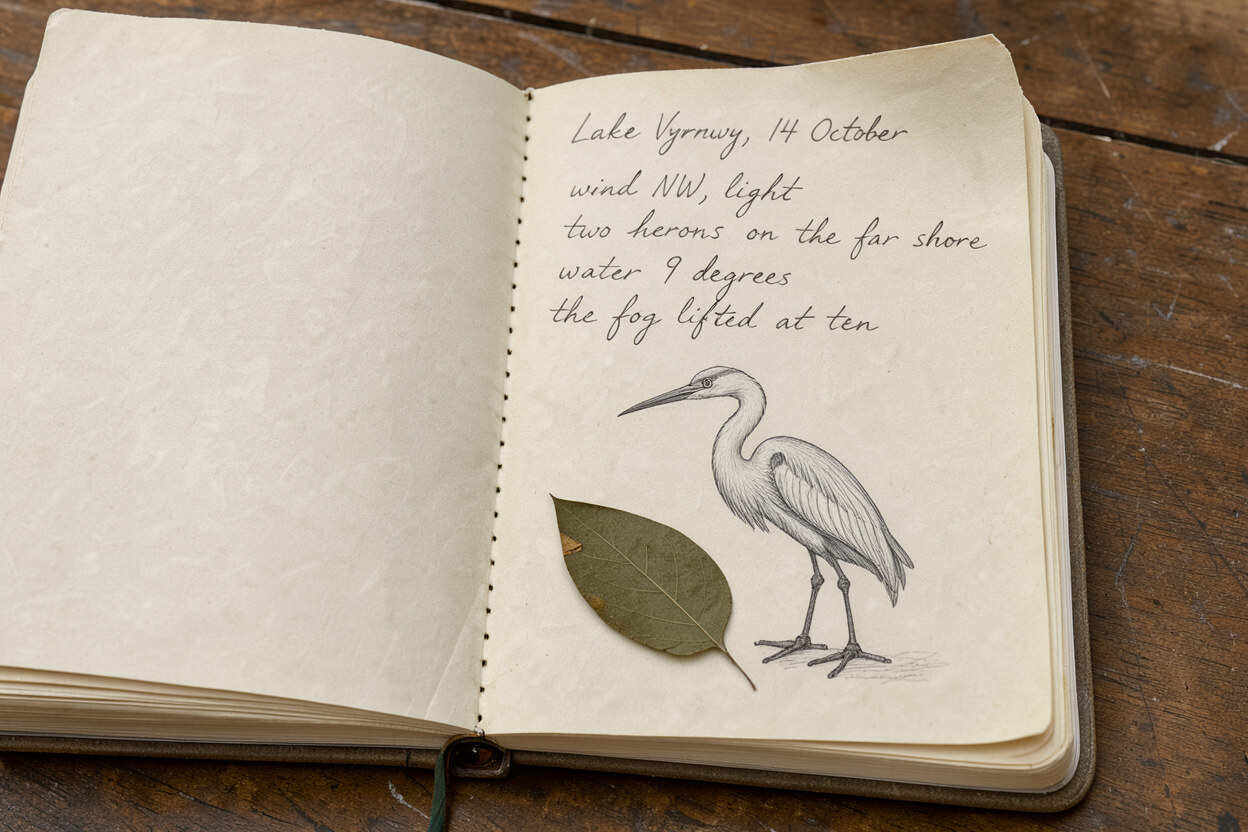
Close-up photograph of an open field notebook resting on a worn wooden table, viewed from a high three-quarter angle under diffused daylight. The cream paper pages fill most of the frame, with the notebook’s stitched binding running vertically through the center and one page corner curling upward. At the top of the right-hand page, handwritten in graphite pencil, the heading reads "Lake Vyrnwy, 14 October". Beneath it, four short lines of neat but uneven cursive handwriting read "wind NW, light", "two herons on the far shore", "water 9 degrees", and "the fog lifted at ten". Below the notes sits a small pencil sketch of a single standing heron in profile, drawn with a long neck, pointed beak, narrow body, and thin legs. A flattened pressed leaf rests beside the sketch near the lower left of the writing area, its muted green-brown surface held flat by the paper fibers. These are the only marks on the page. The left-hand page is blank apart from the paper grain and shallow creases. The tabletop consists of broad brown planks with dark seams, scratches, and visible wood grain, while the notebook casts a short shadow along its lower edge.
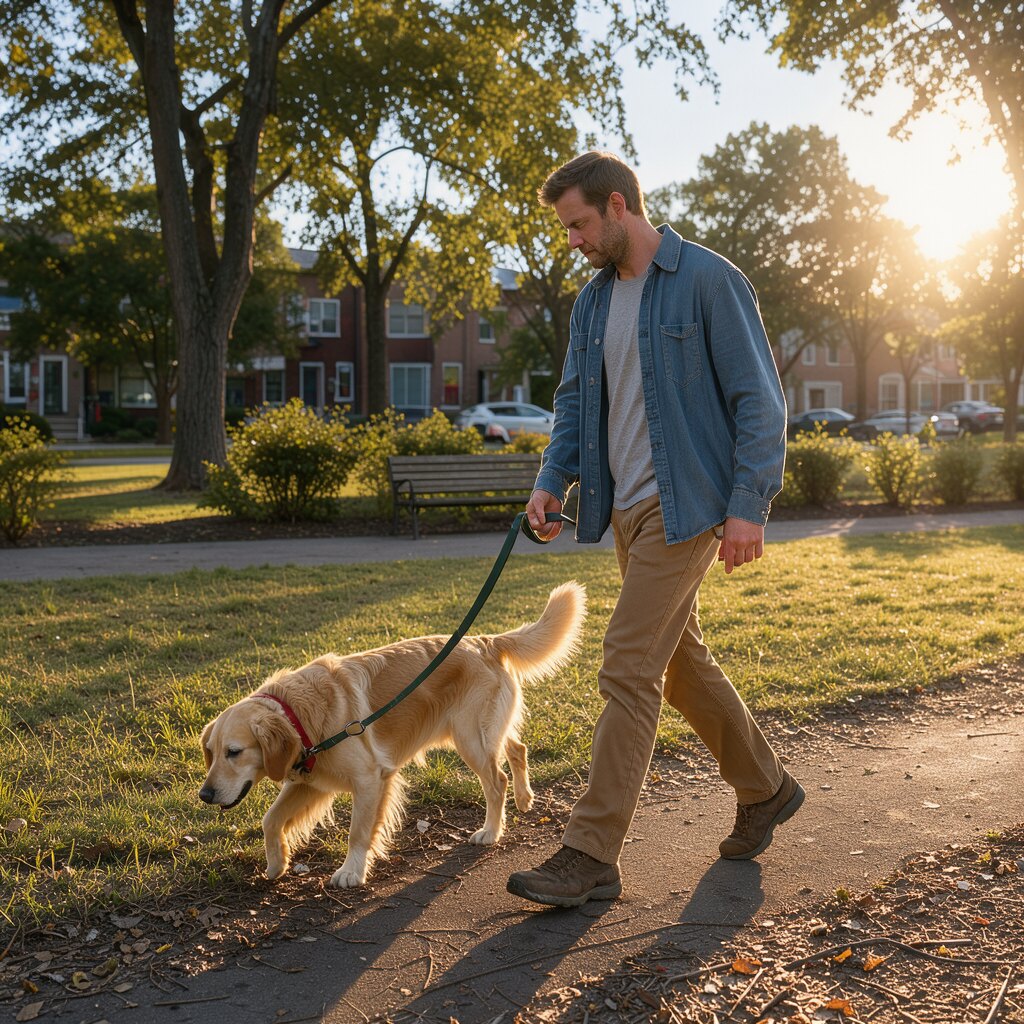
Full-color outdoor photograph taken at eye level in the afternoon, with low sunlight coming from frame-right and casting long shadows across a neighborhood park. In the center, a white man in his thirties with fair skin, short brown hair, and light stubble walks along a paved path while holding a medium-sized golden retriever on a dark green leash. He wears a faded blue overshirt over a grey T-shirt, tan trousers, and worn brown walking shoes. His body faces left as he takes a step forward, looking down toward the dog with a neutral expression. The leash hangs in a loose curve between his right hand and the dog’s red collar. The golden retriever walks beside him on the left, its cream-gold coat lit along the back and ears, head lowered toward the grass and tail raised behind it. Dry leaves and small twigs lie near the edge of the path in the foreground. On the right, the sun sits just above the line of trees, producing a bright patch of glare and warm highlights on the man’s sleeve and the dog’s fur. Behind them, an open lawn extends toward scattered shrubs and mature tree trunks, with a wooden bench resting near the path. In the background, muted brick houses and parked cars form simple shapes beyond the foliage, while the pale blue sky occupies a narrow band above the treetops.
Full-color outdoor photograph at sunrise, with a broad dawn sky <sky_1> above a green valley <valley_1>. On the left, a large hot-air balloon <obj_1> floats over the valley, while a smaller blue hot-air balloon <obj_2> hangs farther back on the right. Along the horizon, the rising sun <sun_1> appears between distant mountain ridges <mountain_1>, casting low orange light across the slopes and leaving the foreground meadow in cooler shadow. [{"id": "obj_1", "bbox": [80, 60, 480, 380], "desc": "A large red and yellow striped hot-air balloon with alternating vertical fabric panels, a rounded envelope, dark suspension cables, and a small rectangular wicker basket hanging below; the lower edge of the envelope is partly shaded by the sunrise angle."}, {"id": "obj_2", "bbox": [200, 620, 420, 800], "desc": "A small blue hot-air balloon with a rounded cobalt-blue envelope, narrow darker seams, fine suspension lines, and a tiny brown basket."}, {"id": "sky_1", "bbox": [0, 0, 650, 1000], "desc": "A clear sunrise sky grading from pale orange near the horizon through peach to muted blue overhead, with several thin horizontal clouds catching warm light."}, {"id": "sun_1", "bbox": [470, 455, 535, 525], "desc": "A low circular sunrise disk in bright yellow-orange, partially veiled by the distant ridge line."}, {"id": "mountain_1", "bbox": [430, 0, 690, 1000], "desc": "Layered distant mountain ridges forming an uneven horizon, with blue-gray silhouettes in front and warmer brown-green slopes along their upper edges."}, {"id": "valley_1", "bbox": [560, 0, 1000, 1000], "desc": "A broad green valley with rolling grassy slopes, scattered darker tree masses, and a winding river reflecting a narrow strip of orange morning light; the nearest meadow contains patches of deep green shadow and uneven vegetation."}]
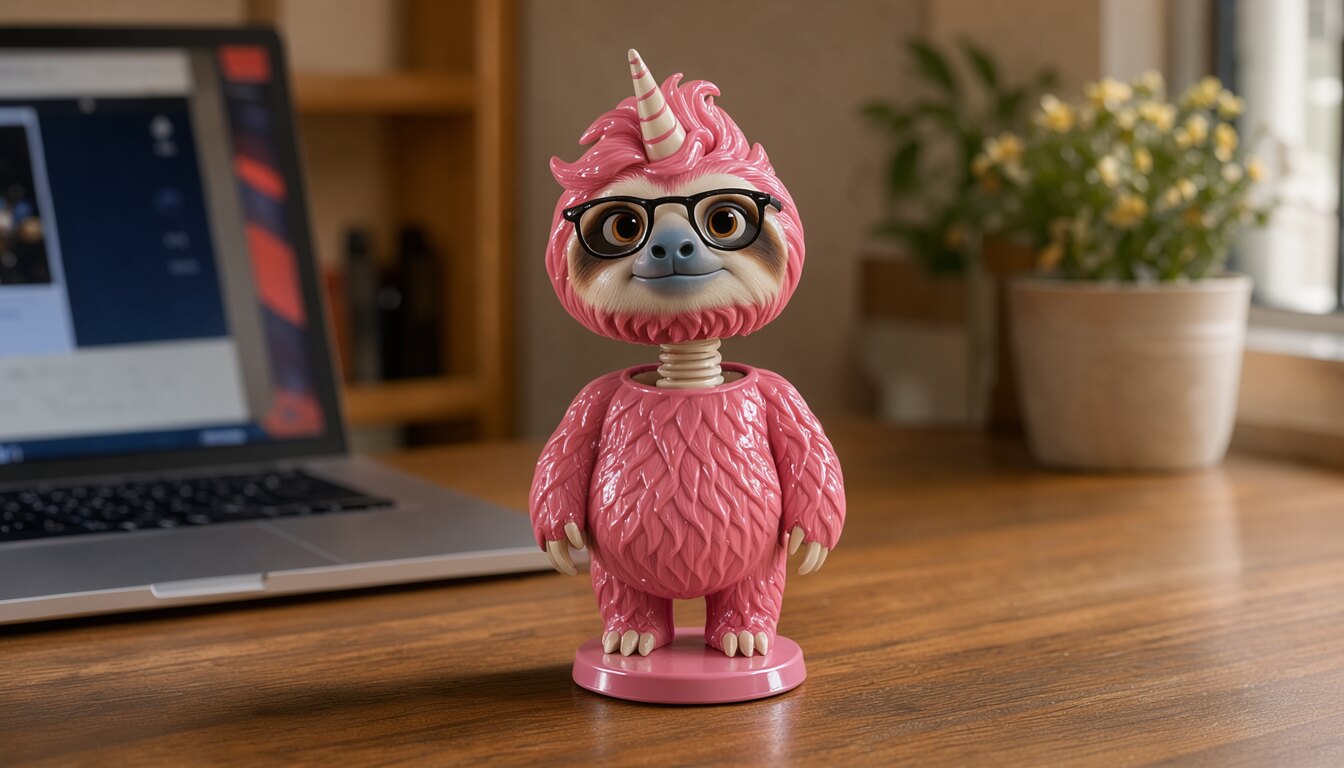
Turn the pink sloth into a shiny plastic bobble-head figurine standing on a wooden desk: glossy painted plastic, an oversized head on a visible spring neck, painted-on eyes and glasses, and a small round base, so it is clearly a toy. Photograph it on the desk next to a laptop in a cozy home office.
Edit · 1 photo
Started from
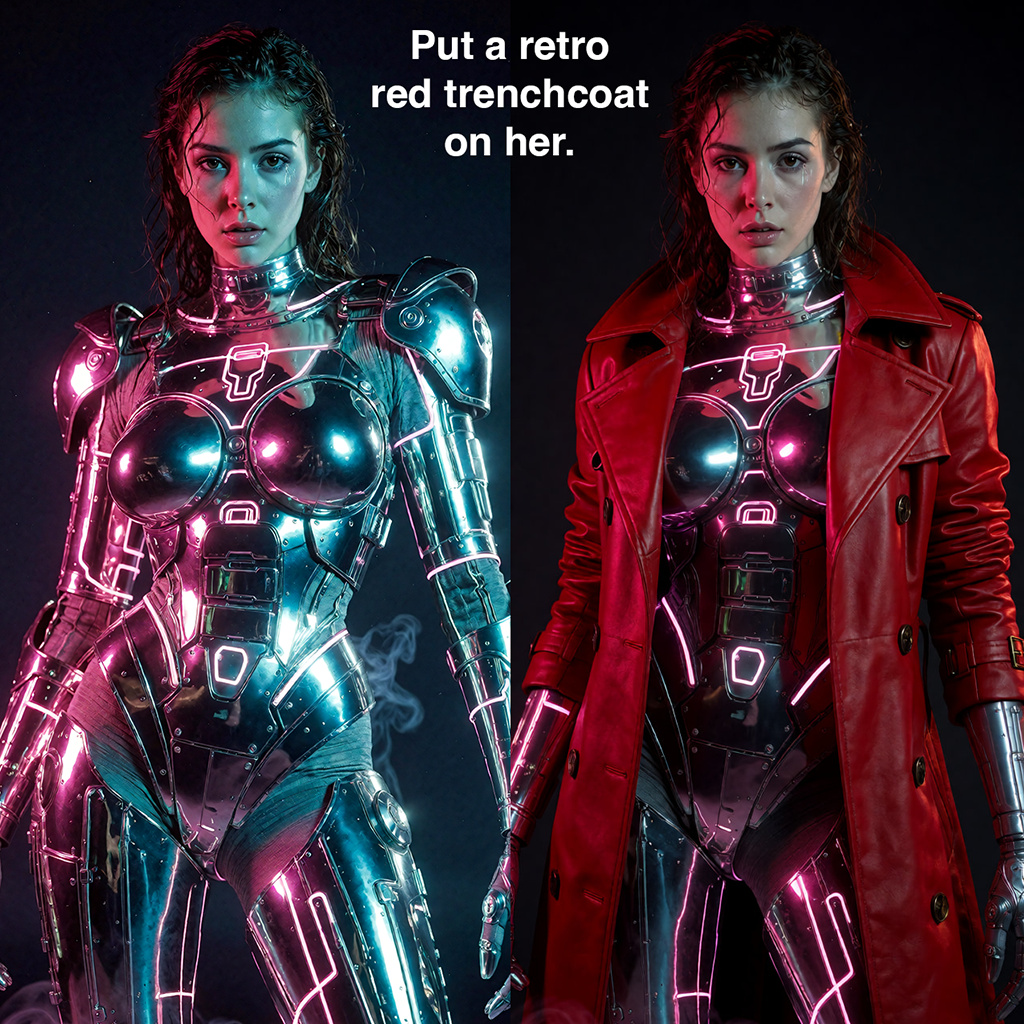
Tie a red bandana around her neck. Keep everything else unchanged.
Why run it on Sogni
Subscriptions or Spark
Use a flat monthly plan for credit-free fair-use generation, or buy Spark packs when pay-as-you-go fits better. Both run on the same creator-owned GPU network.
∞
Unlimited plans
One flat price in the app. Generate under fair use without a per-image meter.
🧩
200+ models
Image, video, music, and language models in one workspace and one API key.
⚡
Pay-as-you-go Spark
Prefer pay-as-you-go? Call FLUX 3 Image Klein by id and pay with Spark packs.
🌐
Powered by people
Runs on a decentralized GPU network where workers share subscription revenue.
FLUX 3 Image Klein is an open-weights image model from Black Forest Labs, released on October 15, 2026. It is the 5.6-billion-parameter version of FLUX 3 Image: one model for text-to-image, photo edits, up to ten reference images, layout boxes and text in images. Sogni runs it on Supernet GPUs, so there is nothing to download.
How fast is FLUX 3 Image Klein?
On one RTX 5090, a 1024 × 1024 image takes about 1.9 s and a one-photo edit about 3.6 s, against about 8.4 s for Qwen Image Edit 2511 Lightning and 9.7 s for Krea 2 Identity Edit. An edit from ten reference images takes about 37 s, and a 3840 × 2160 image about 27 s.
How much does FLUX 3 Image Klein cost on Sogni?
Text-to-image costs 1.80 Spark (about $0.009) per image at the default 16 steps, up to about 1.5 megapixels; 2048 × 2048 is 4.82 Spark. A 1024 × 1024 edit costs 2.19 Spark with one reference image, 3.45 with two and 22.27 with ten. A one-photo edit runs at the photo’s own size: 5.35 Spark at 2 MP and 14.25 at 4 MP. Sogni’s Unlimited plans cover it under fair use.
Is FLUX 3 Image Klein free?
The weights are free to download from Hugging Face under the FLUX Kommunity License, which Black Forest Labs describes as free for commercial use by individuals and companies with annual revenue under $5 million. On Sogni there is no GPU to buy: Klein is covered by the Unlimited plans, or costs 1.80 Spark per 1024 × 1024 image.
How do I edit an image with FLUX 3 Image Klein?
Add the photo, describe the change in plain language, such as “tie a red bandana around her neck”, and say what should stay the same. To point at a spot instead, use Edit by box. To combine images, add up to ten and refer to them by order: the first image, the second image and so on.
What is Edit by box?
A tool in the Sogni web app for FLUX 3 Image Klein. Attach one photo, draw a box, and choose Add object, Move or resize, or Remove object. Klein changes what you marked and keeps the rest of the photo. One edit per render is the most reliable; you can draw up to three.
How many reference images can I use?
Up to ten per render. They are optional: without any, FLUX 3 Image Klein renders from the prompt alone.
Can FLUX 3 Image Klein put text in images?
Yes. Put the exact words in quotes and say where they go and how they should look; the posters, packaging and notebook on this page were made that way. Klein can also change the text already in a photo.
How do layout boxes work?
Tag each element in the prompt with an id in angle brackets, such as <obj_1>, and end the prompt with a list giving each id a box as [top, left, bottom, right] on a 0 to 1000 grid plus a short description. In the web app, Edit by box writes these for you.
Can I use my own LoRAs with FLUX 3 Image Klein?
Yes. Sogni Unlimited members can import FLUX 3 Image Klein LoRAs from Civitai or Hugging Face in My LoRAs.
Does FLUX 3 Image Klein use a negative prompt or guidance?
No. Klein is distilled to run at a fixed guidance of 1, where a negative prompt has no effect. Describe what you want in the prompt itself.
What is the difference between FLUX 3 Image Klein and FLUX.2 [klein]?
They are different models. FLUX.2 [klein] is Black Forest Labs’ earlier compact family from January 2026, in 4B and 9B sizes. FLUX 3 Image Klein is the 5.6B open-weights version of FLUX 3 Image; Black Forest Labs reports it scores 91 Elo higher than FLUX.2 [klein] 9B in text-to-image and 70 higher in editing.
Is there a FLUX 3 [schnell]?
No. Black Forest Labs has not released a FLUX 3 [schnell]. FLUX 3 Image Klein is the open-weights FLUX 3 image model, distilled to 16 steps; the full FLUX 3 Image and FLUX 3 Video are on Black Forest Labs’ own API. FLUX.1 [schnell], the four-step model from 2024, is also on Sogni.
Can I run FLUX 3 Image Klein locally?
Yes. Black Forest Labs publishes the weights on Hugging Face, ComfyUI supports the model, and Black Forest Labs says its int8 files run on GPUs with as little as 8 GB of VRAM. On Sogni you need no GPU or setup.
What license does FLUX 3 Image Klein use?
The FLUX Kommunity License, which Black Forest Labs publishes with the weights on Hugging Face.
Start with FLUX 3 Image Klein today
Create in the app, or build with the API. Your call.