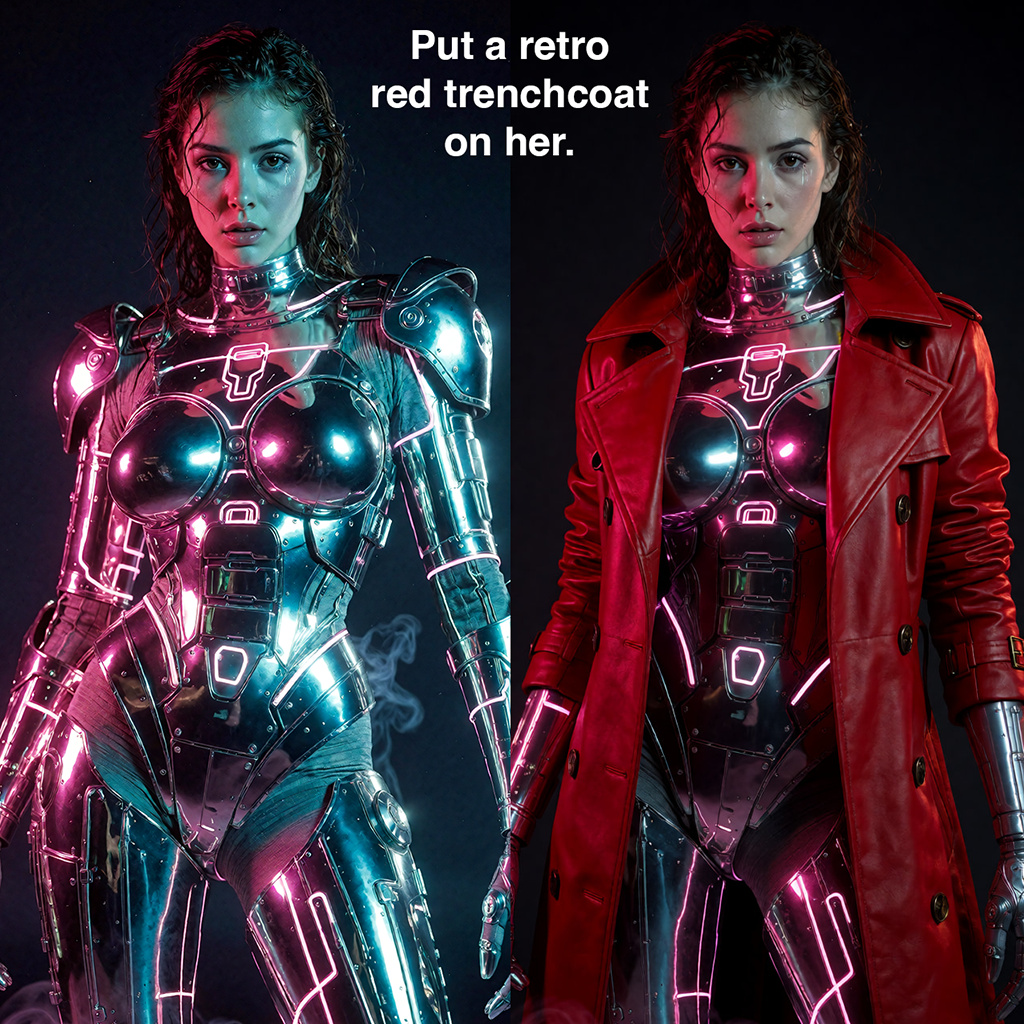
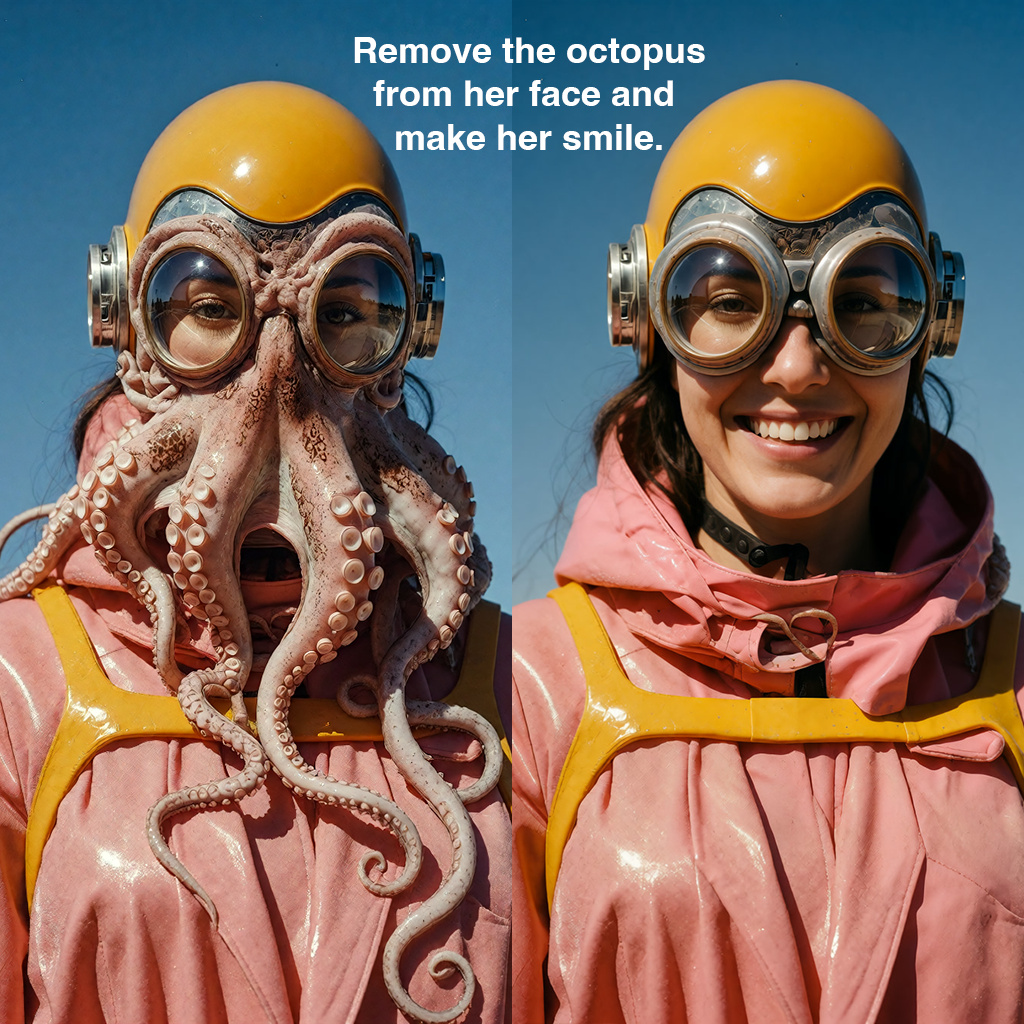
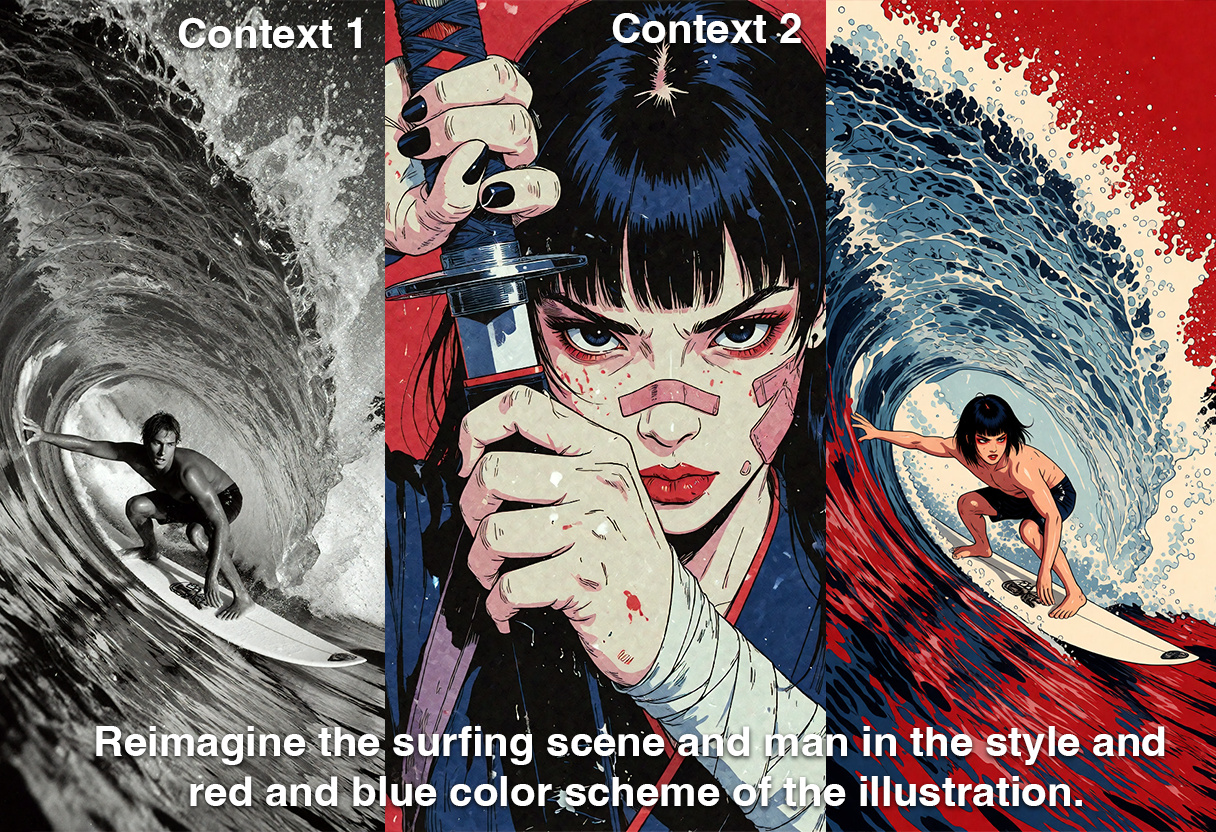
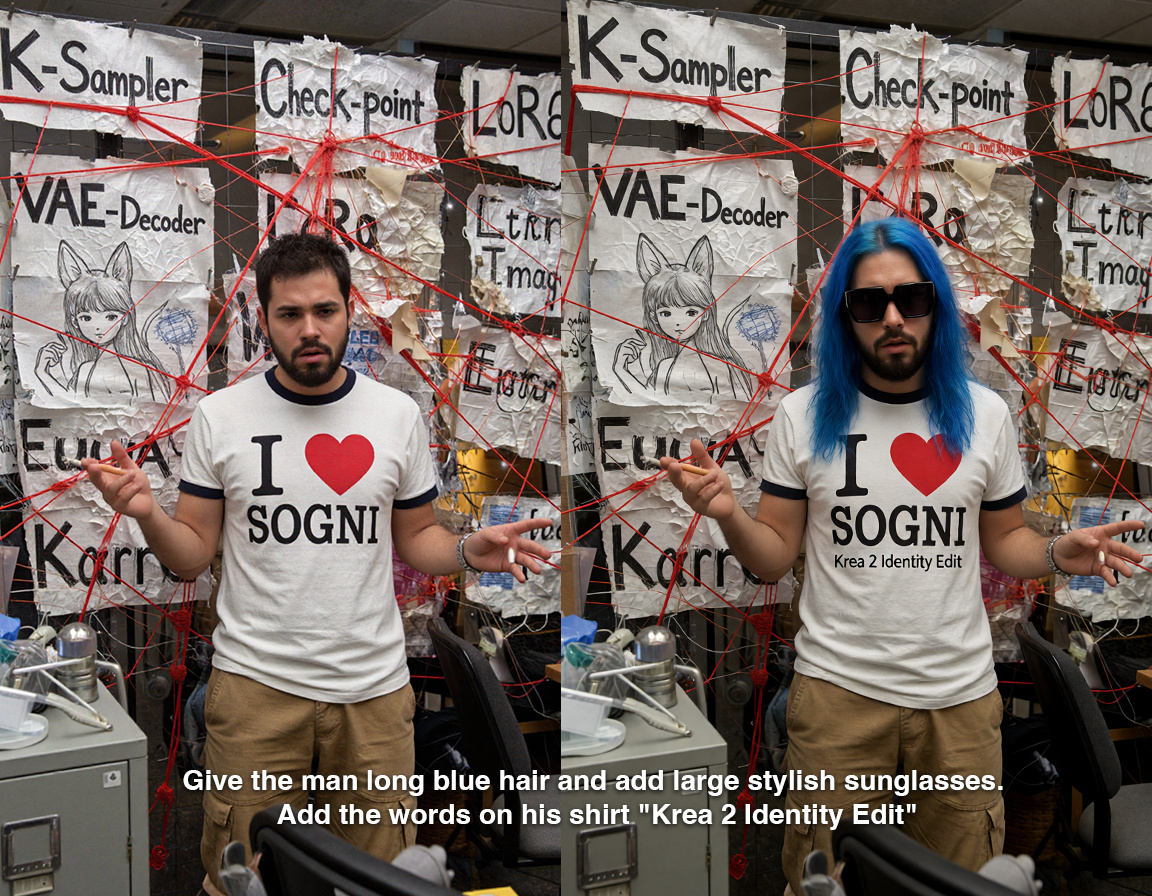
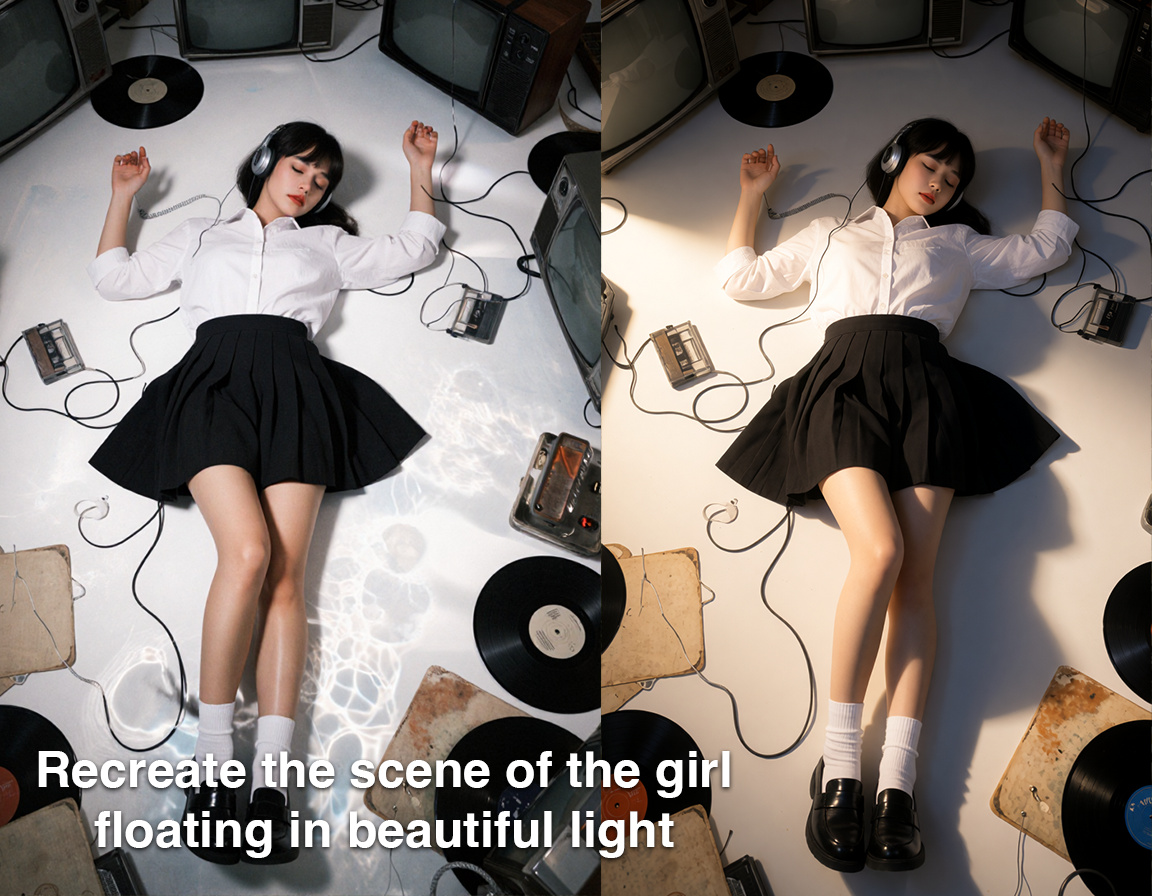
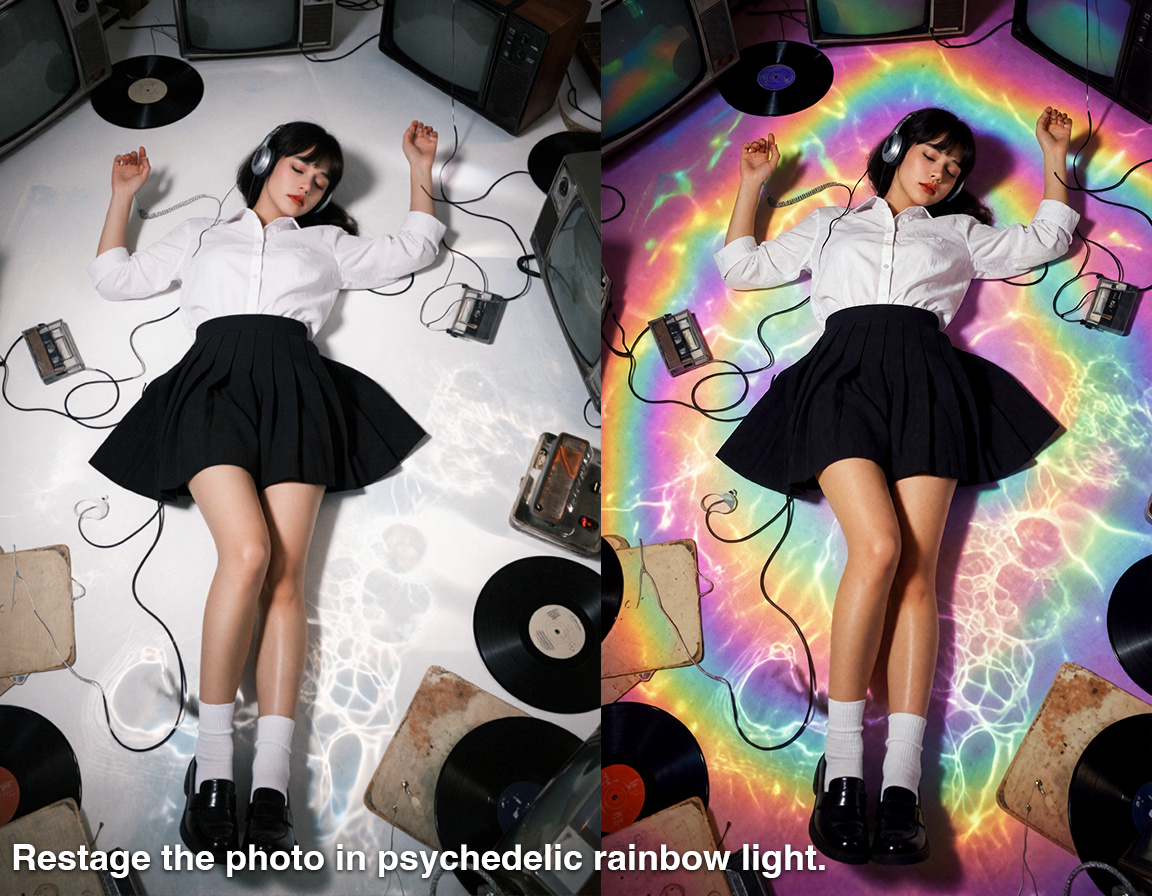
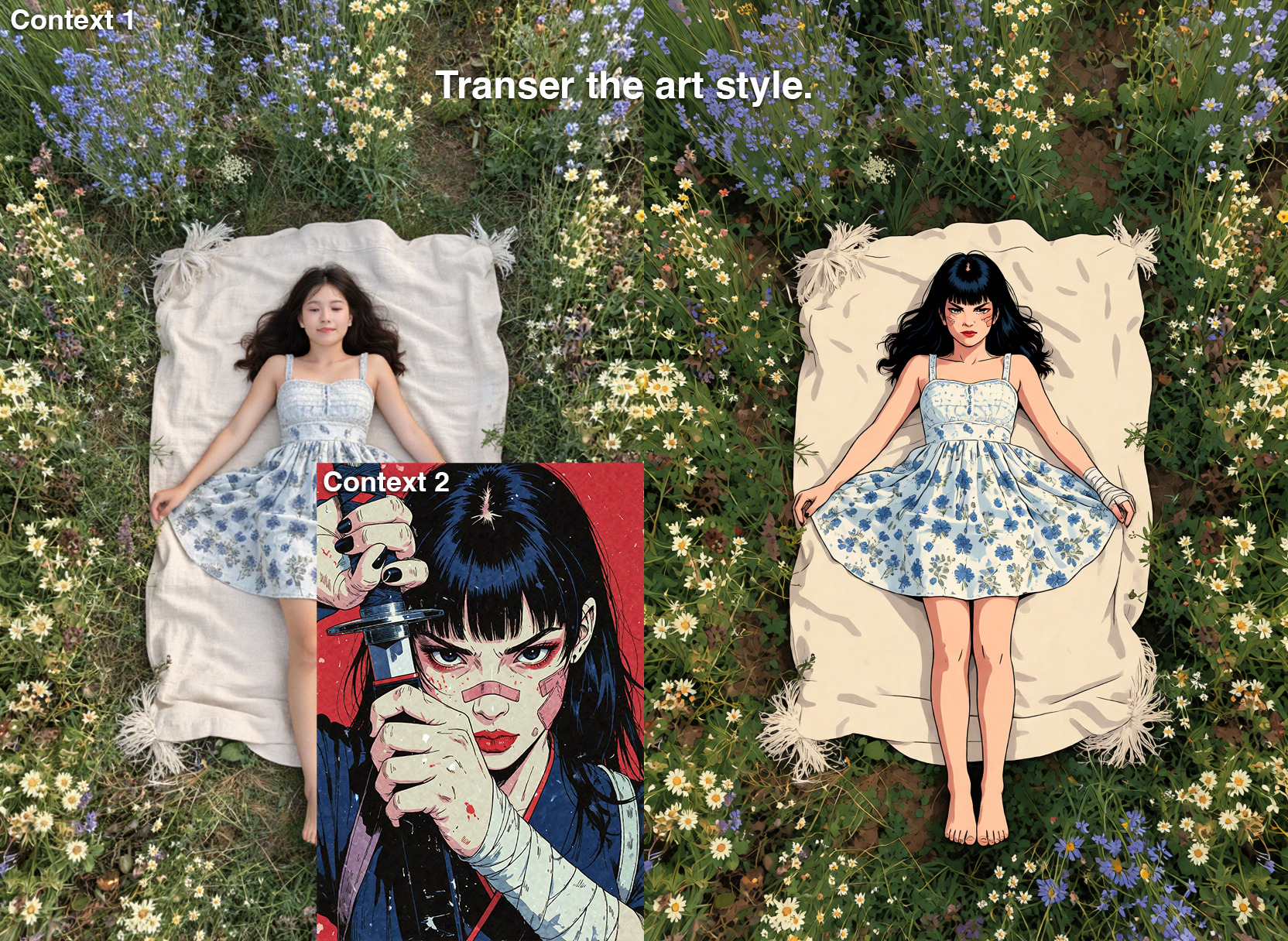
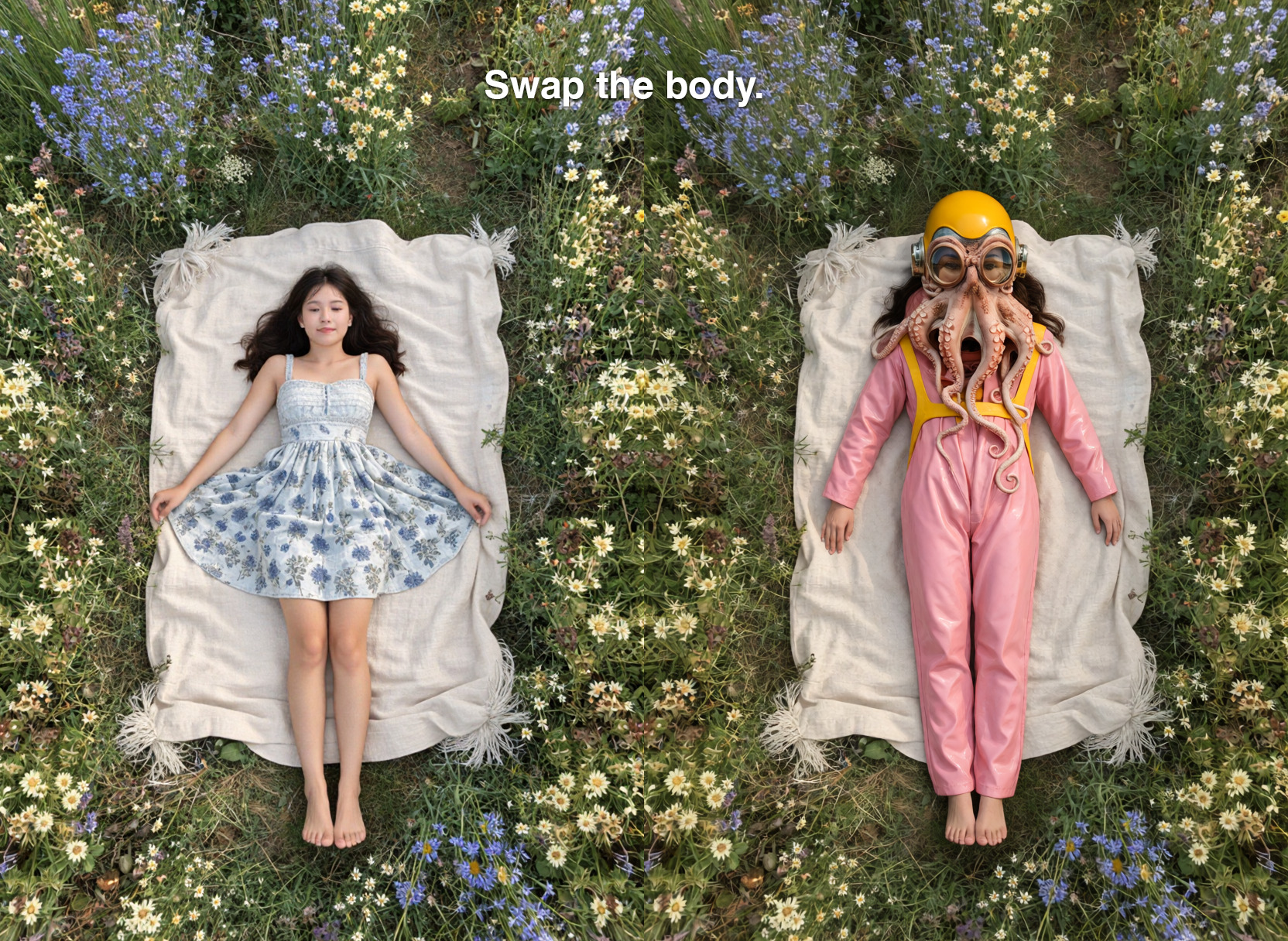
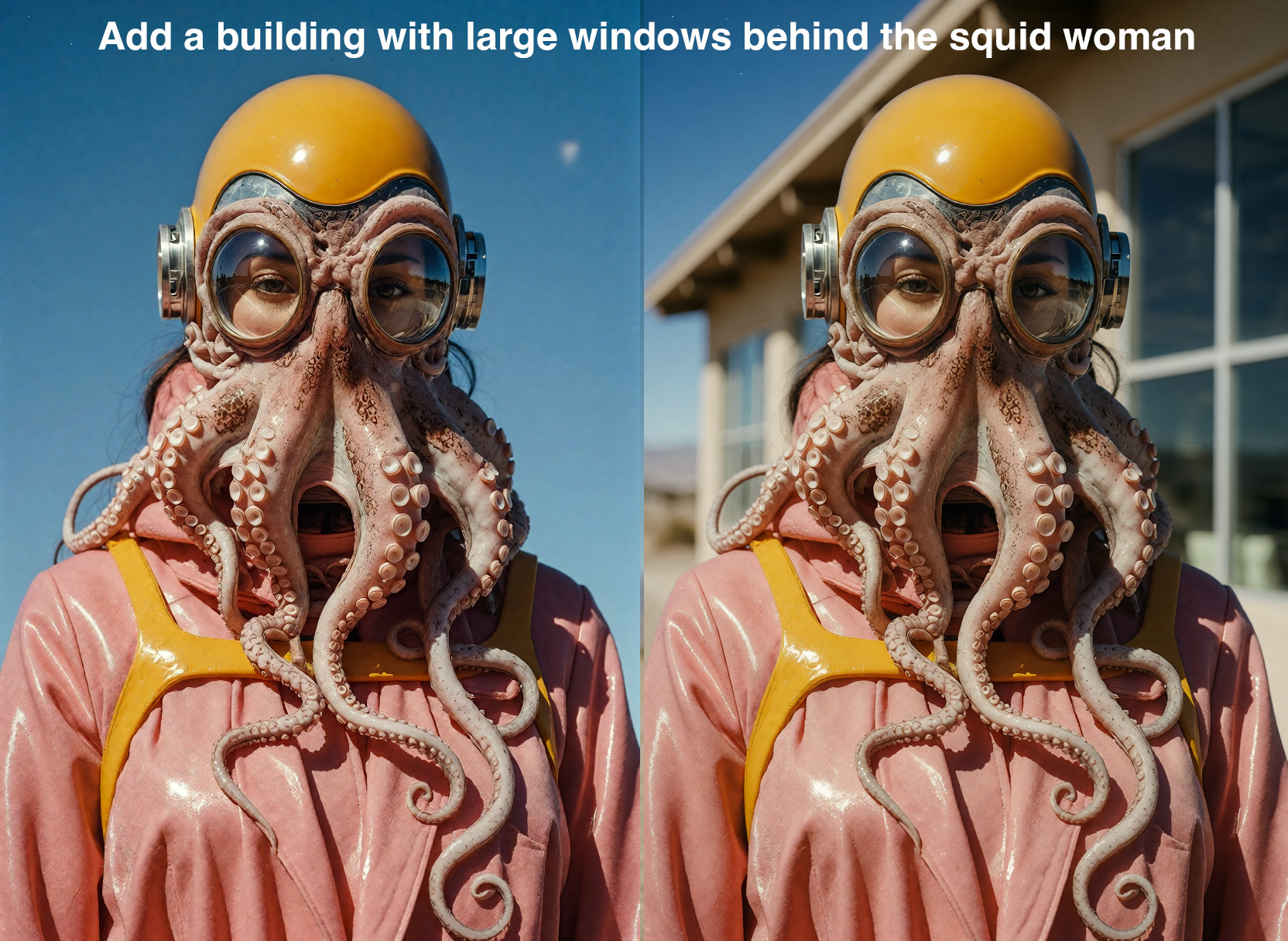
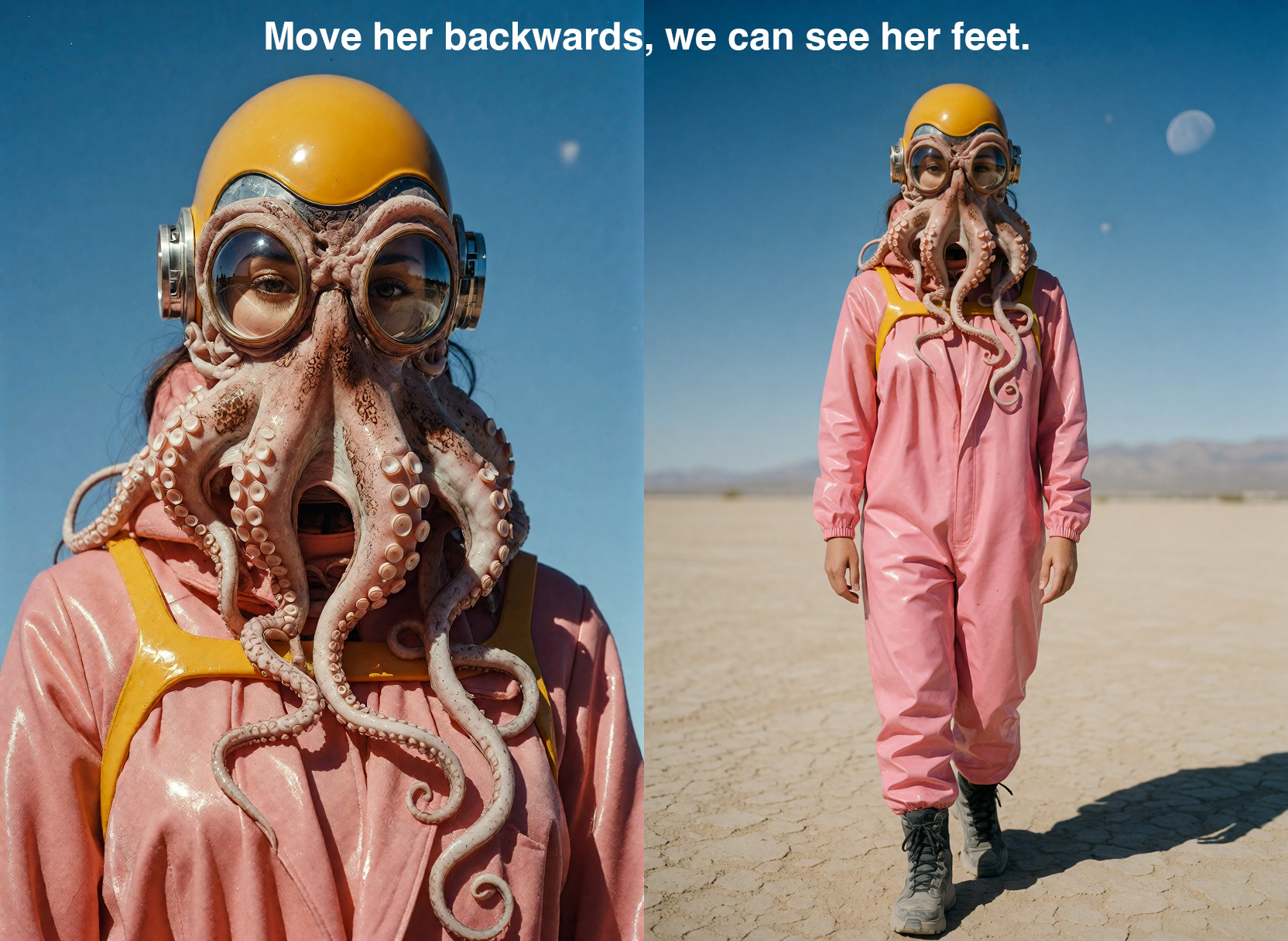
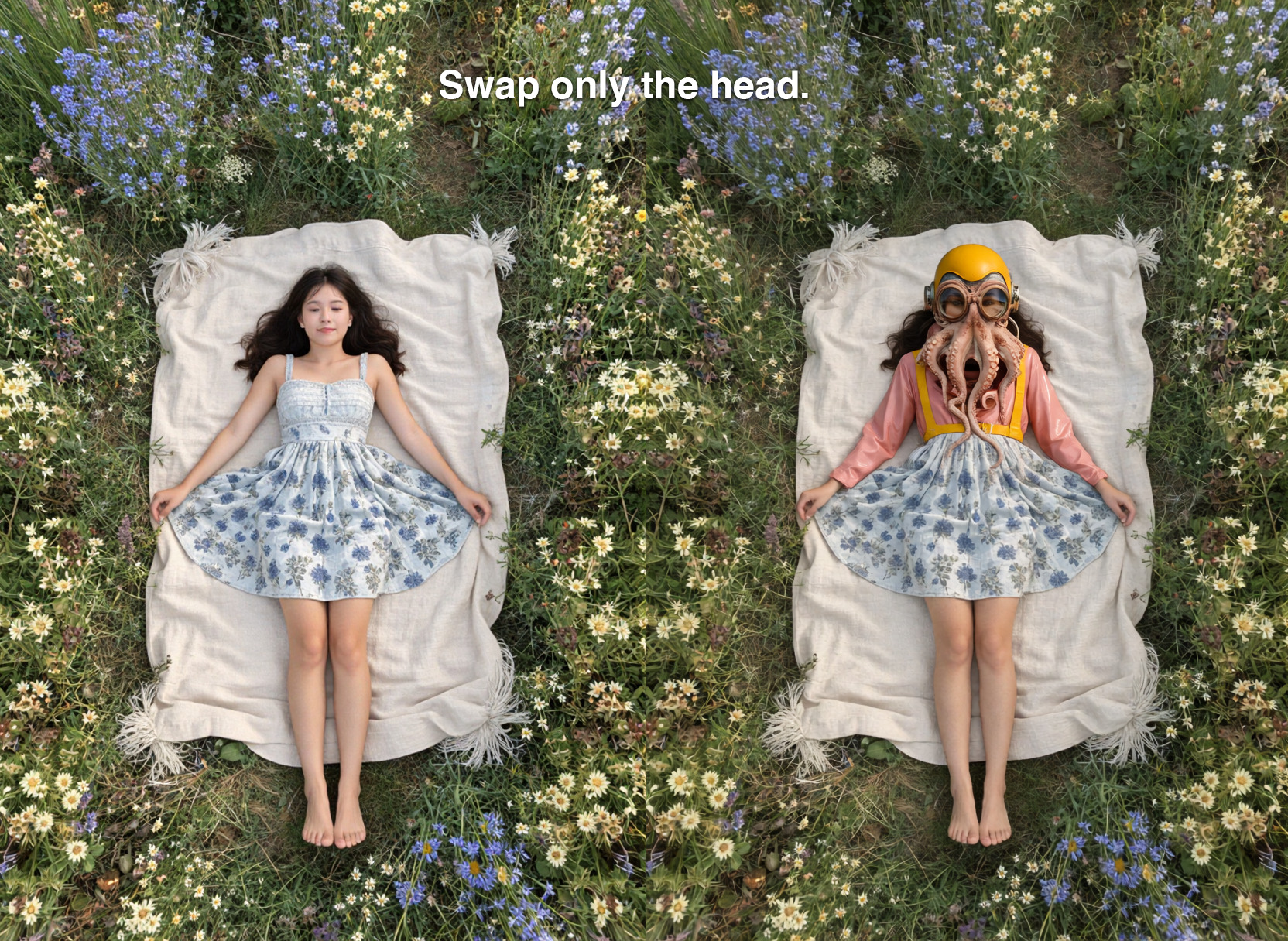
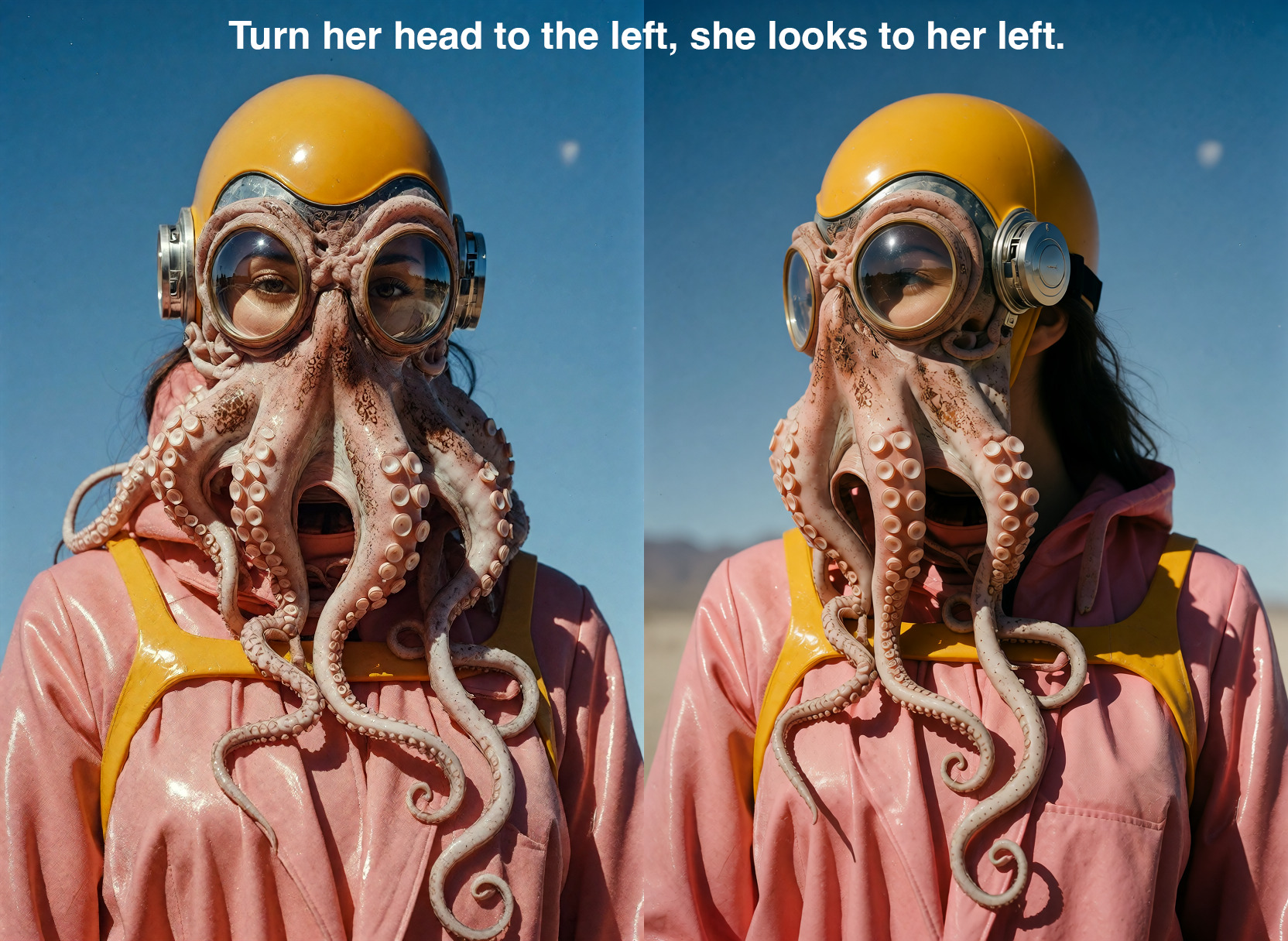
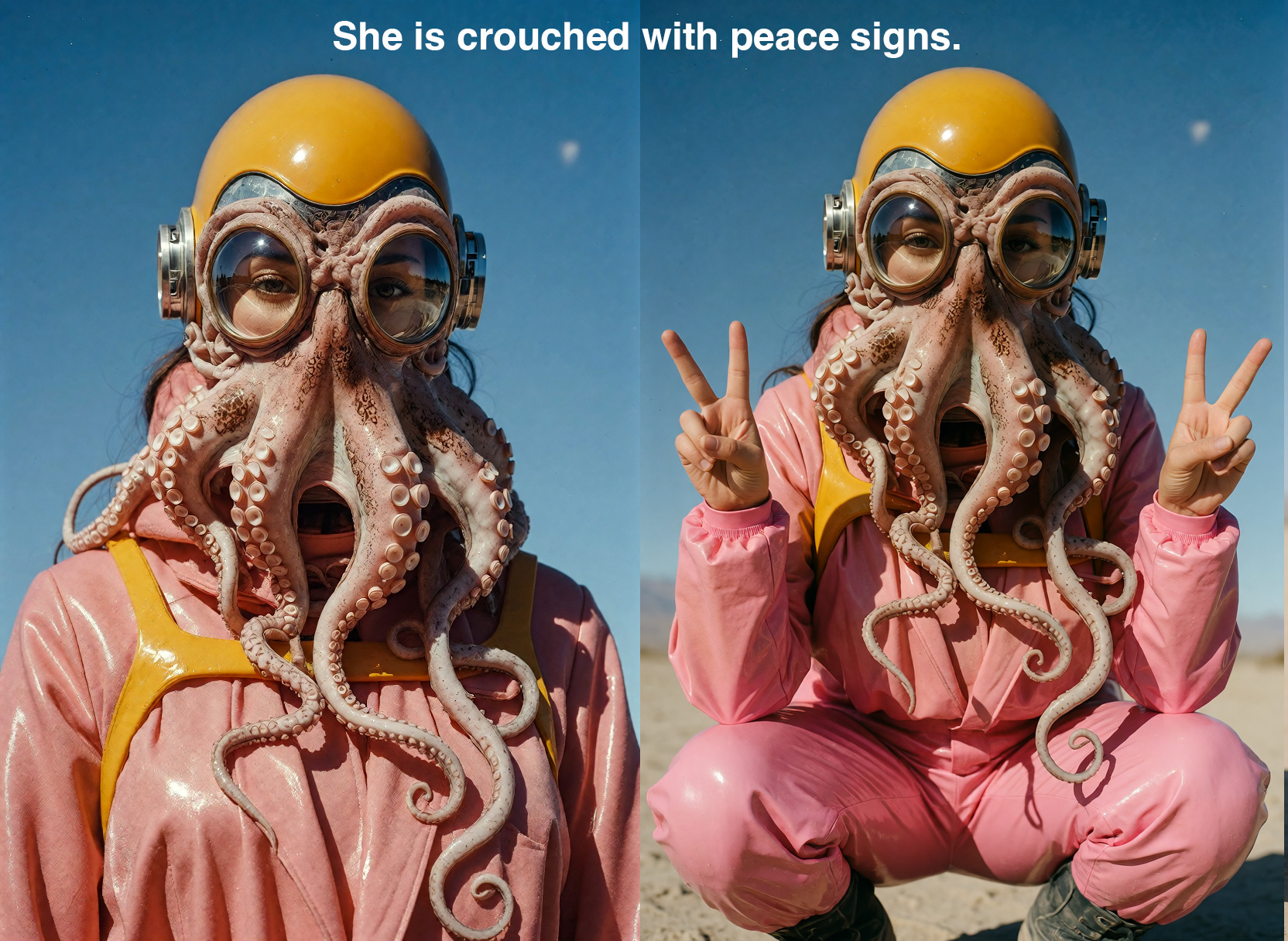
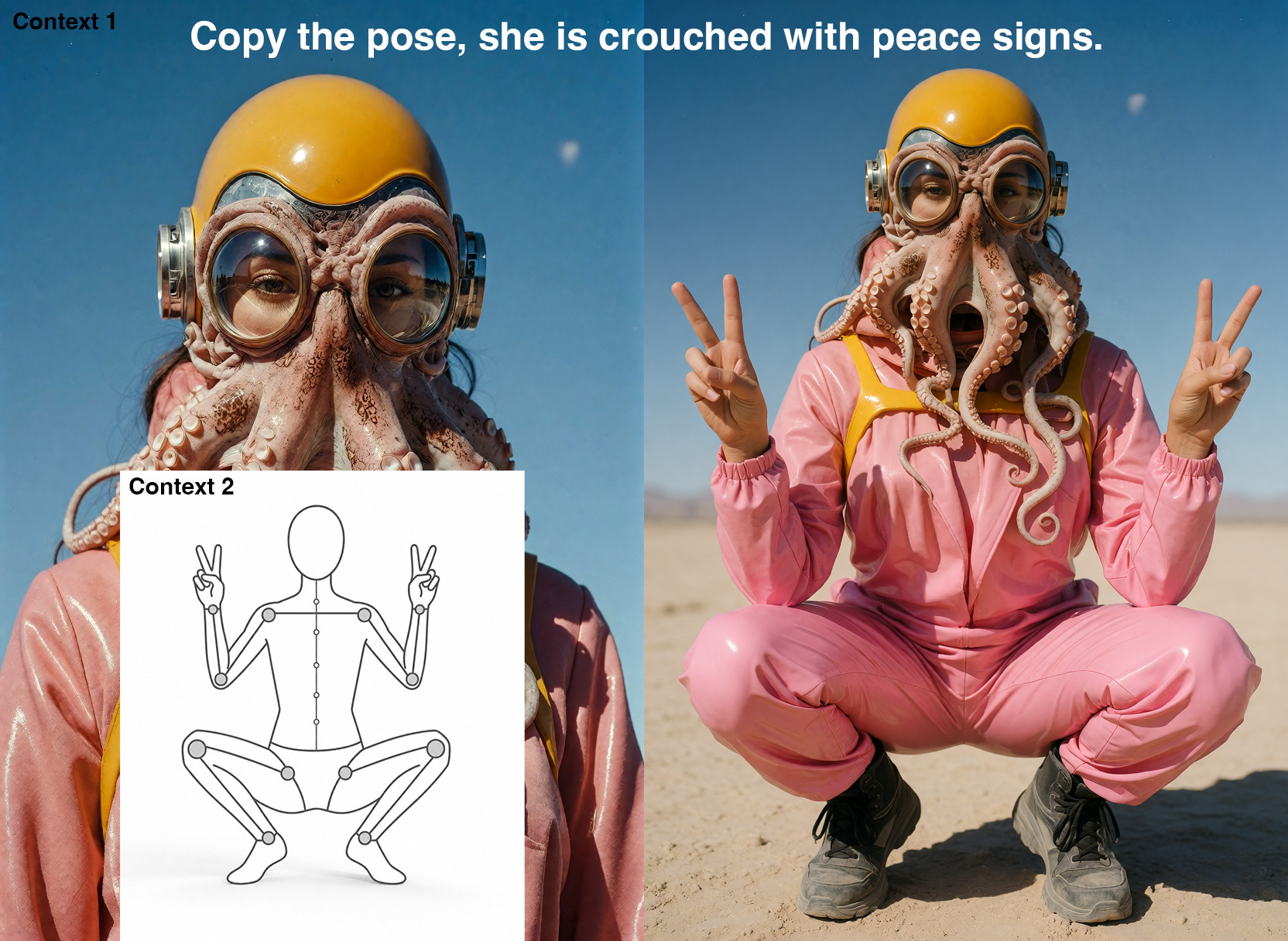
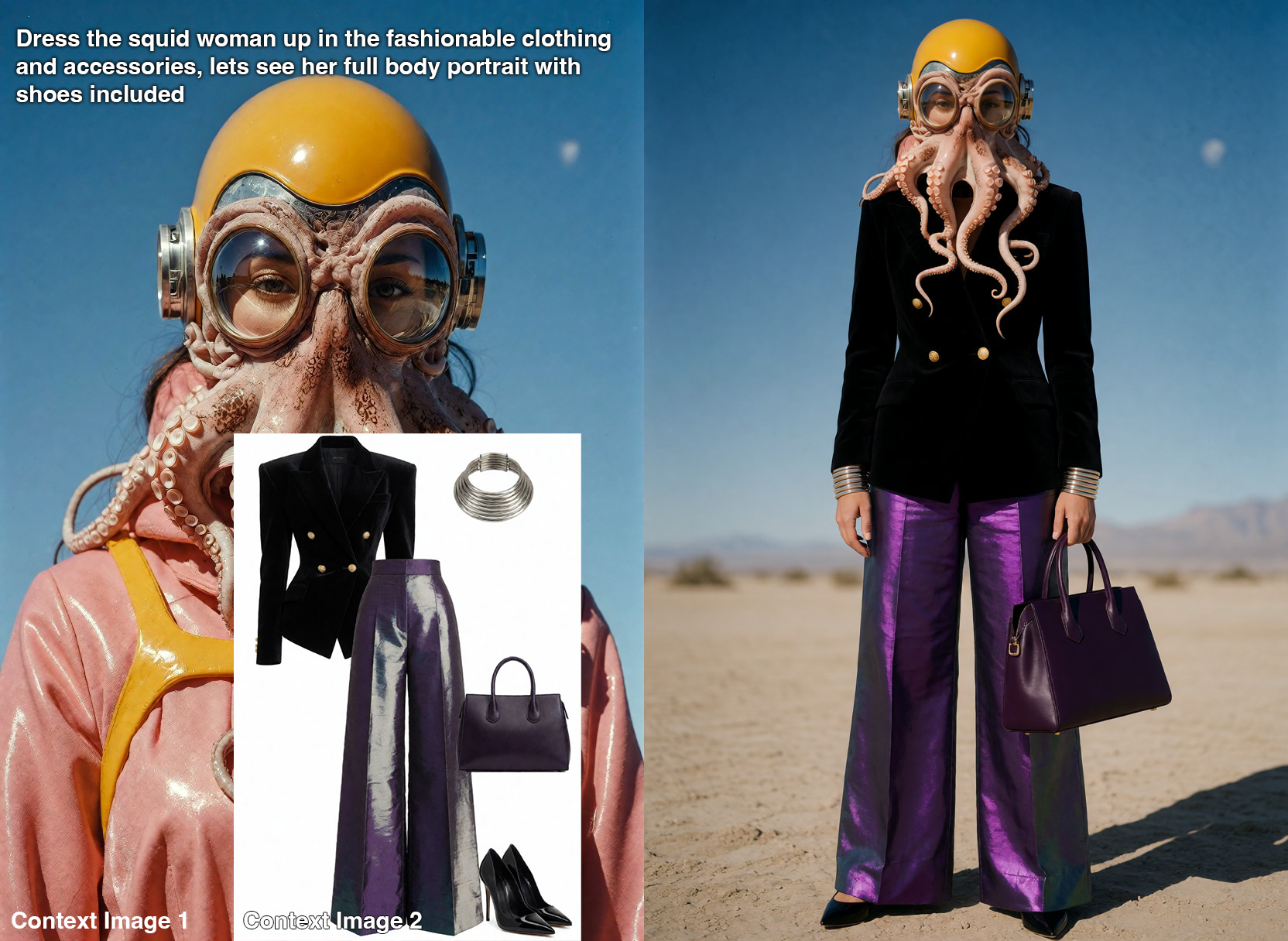
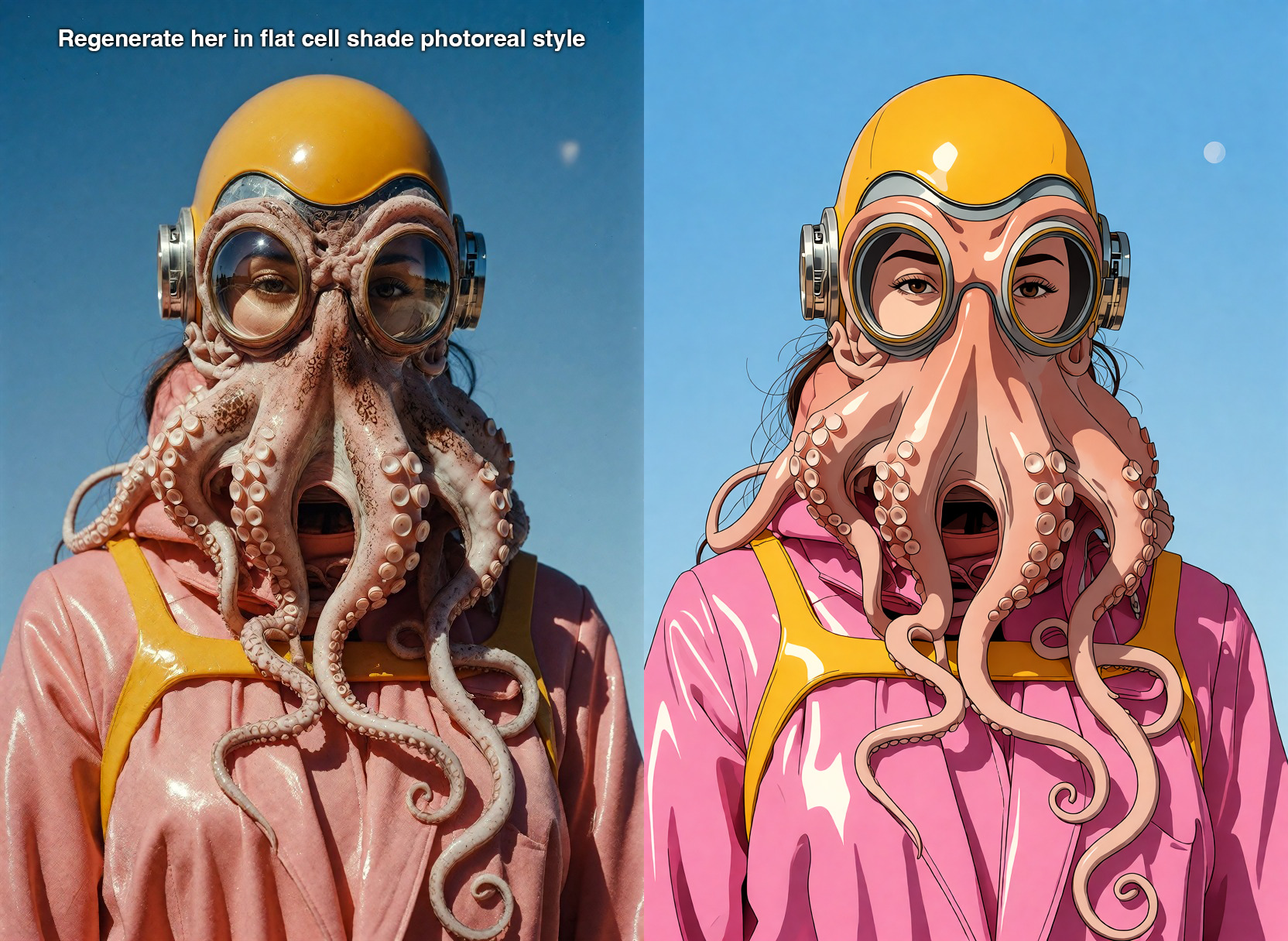
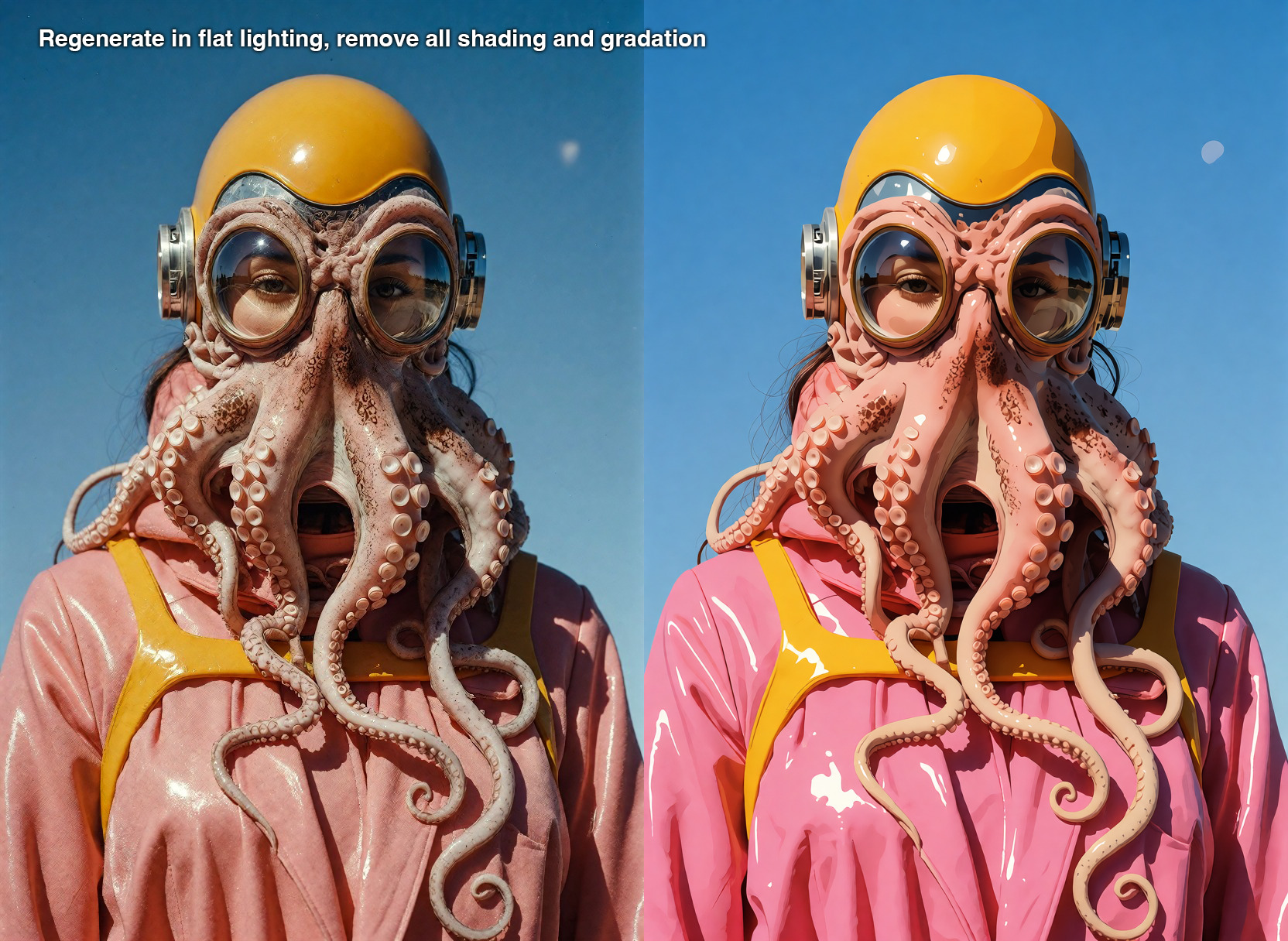
The new v1.2 identity-preserving Krea 2 LoRA on Sogni: restage people, swap faces or references, change outfits, inpaint, outpaint, and keep the parts you did not ask to change.
Krea 2 Identity Edit LoRA v1.2 is an instruction-based LoRA for identity-preserving image editing on Krea 2. Upload a reference image, write a plain-language edit, and Sogni runs the workflow on the Supernet while preserving faces, outfits, product details, and scene elements you did not ask to change.
The v1.2 release is the recommended Krea 2 Identity Edit LoRA build on Hugging Face and Civitai. It improves face likeness on restaged subjects, adds a 1024 high-resolution pass, and supports reference-sheet workflows, head, face, eye, and person swaps, inpainting, outpainting, and virtual try-on.
The same Krea 2 Identity Edit LoRA can also run on compatible base models such as Dark Beast Krea 2.
Prompting tips
Krea 2 Identity Edit v1.2 works best when the instruction is direct and the reference roles are unambiguous.
Start with the reference — This is an image editor, not a blank text-to-image model. Add one source image before describing the change.
Use action verbs — Ask for a concrete edit: restage the person, replace the object, change the outfit, remove an element, extend the frame, or apply a visual style.
Order two-image edits — For scene-plus-person workflows, put the scene image first and the person or identity reference second.
Tune preservation — Grounding controls how much visual structure comes from the reference. Reference Boost around 4 is the strong-likeness default; lower it for looser edits.
The app exposes Grounding, Reference Boost, and Reference B Boost for Krea 2 Identity Edit v1.2.
What v1.2 adds
v1.2 is the version users are looking for: it is the recommended Hugging Face LoRA build (krea2_identity_edit_v1_2.safetensors) and the version Sogni has deployed. Compared with earlier builds, the author documents stronger likeness in restaged people, a 1024 high-resolution pass, FIT reference geometry for mismatched source/output aspect ratios, and the ref_boost fidelity dial exposed in Sogni as Reference Boost.
Control
Default
Use it for
Grounding
768
Lower values follow the edit more strongly; higher values preserve more of the reference.
Reference Boost
4
Main likeness dial for face, body, texture, outfit, and product detail preservation.
Reference B Boost
1
Second-reference fidelity for scene-plus-person edits where the person is image two.
Sogni offers 22 community LoRAs across every supported Krea 2 workflow with no local download or ComfyUI setup. Open any LoRA below for its canonical description, recommended strength, safe examples, compatible models, and creator attribution.
You can stack up to eight LoRAs on one render. Start inside the recommended band and use the lowest strength that produces the effect you want.
Bakes in the post-processing pass the author would otherwise apply by hand: film grain, softened edges, and a muted, moody grade that pulls saturation down and cools the midtones.
Emphasizes a pronounced hourglass silhouette by widening the hips while keeping the waist relatively narrow. Negative values push toward the opposite proportions. It works without special prompt phrases or companion LoRAs; use −1.5 to +1.5, with +0.7 to +1 recommended for its intended hourglass effect. The in-app LoRA Explorer includes two locked-seed strength comparisons, with the alien study first and the poolside portrait second; mature previews stay covered until the artist reveals them.
Every LoRA listed here is an unofficial community fine-tune linked to its original creator source. NSFW-capable entries are presented tactfully for search and discovery; mature examples remain hidden until a signed-in user 18 or older explicitly opts in.
Pricing
Use pay-as-you-go Spark packs for each render (1 Spark = $0.005), or choose a flat-rate Sogni plan for credit-free fair-use generation in the app.
One Sogni API key reaches every model on the Supernet — call Krea 2 Identity Edit LoRA v1.2 with the exact model id.
import { SogniClient } from '@sogni-ai/sogni-client';

const client = await SogniClient.createInstance({
  appId: crypto.randomUUID(),
  apiKey: process.env.SOGNI_API_KEY,
  network: 'fast',
});

const project = await client.projects.create({
  type: 'image',
  modelId: 'krea2_identity_edit_v1_2',
  positivePrompt: 'a slothicorn surfing a wave of liquid paint, studio lighting',
  numberOfMedia: 1,
});

const [url] = await project.waitForCompletion();
console.log(url); // result link — download within 24h
# krea2_identity_edit_v1_2 is addressable by id via the JavaScript SDK (see the JavaScript tab).
# The REST workflow API routes this family through its flagship alias instead:

curl https://api.sogni.ai/v1/creative-agent/workflows \
  -H "Content-Type: application/json" \
  -H "Authorization: Bearer $SOGNI_API_KEY" \
  -d '{
    "input": {
      "title": "First render",
      "steps": [{
        "id": "step1",
        "toolName": "generate_image",
        "arguments": { "prompt": "a slothicorn surfing a wave of liquid paint, studio lighting" }
      }]
    },
    "confirm_cost": true
  }'
Addressable by id via the JavaScript SDK; the REST workflow API routes this family through its flagship alias. Full reference at docs.sogni.ai.
Made on Sogni
See what Krea 2 Identity Edit LoRA v1.2 makes
Real generations from Sogni. Hit Use prompt to open the app with Krea 2 Identity Edit LoRA v1.2 selected and the full prompt preloaded.
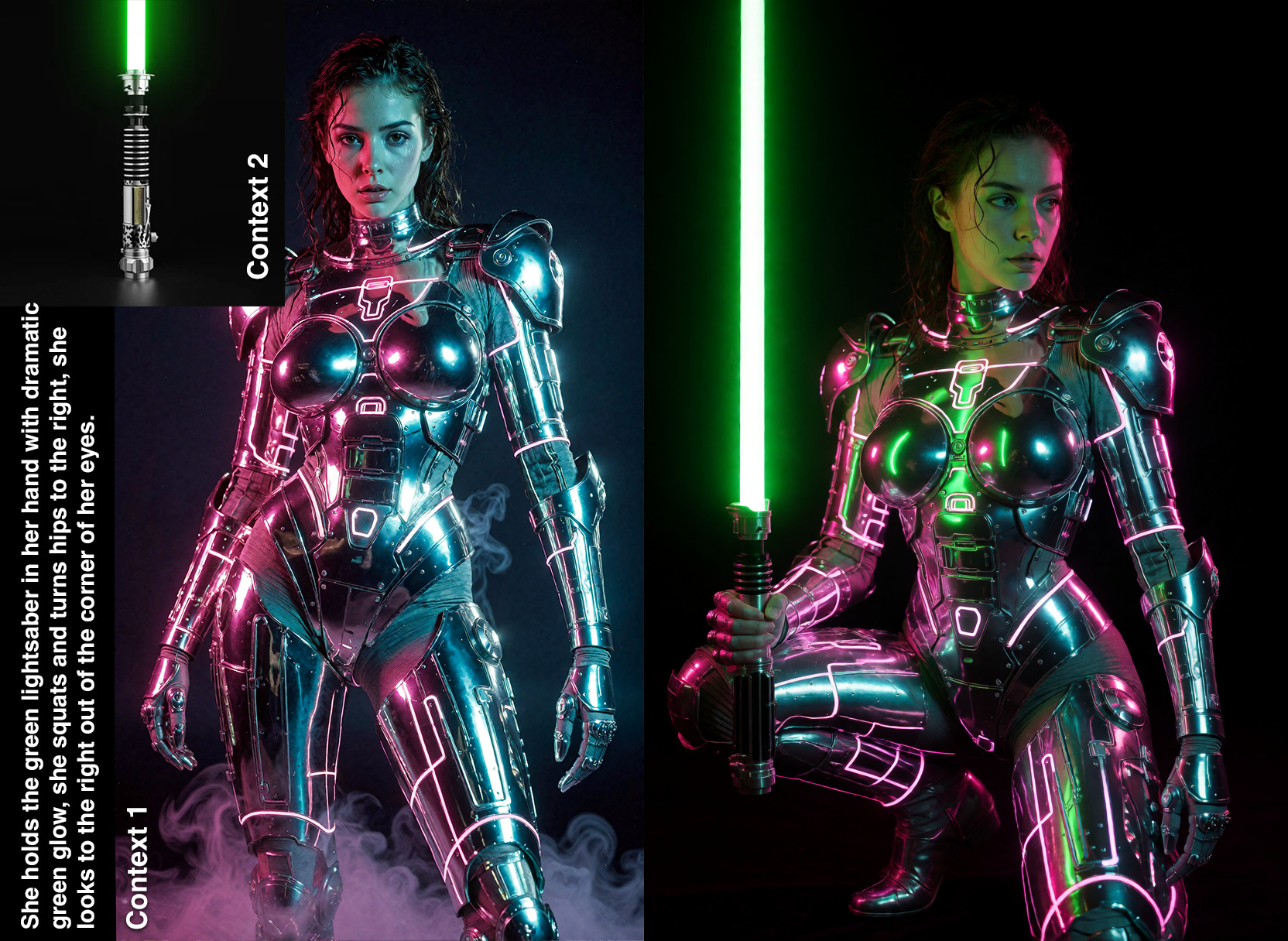
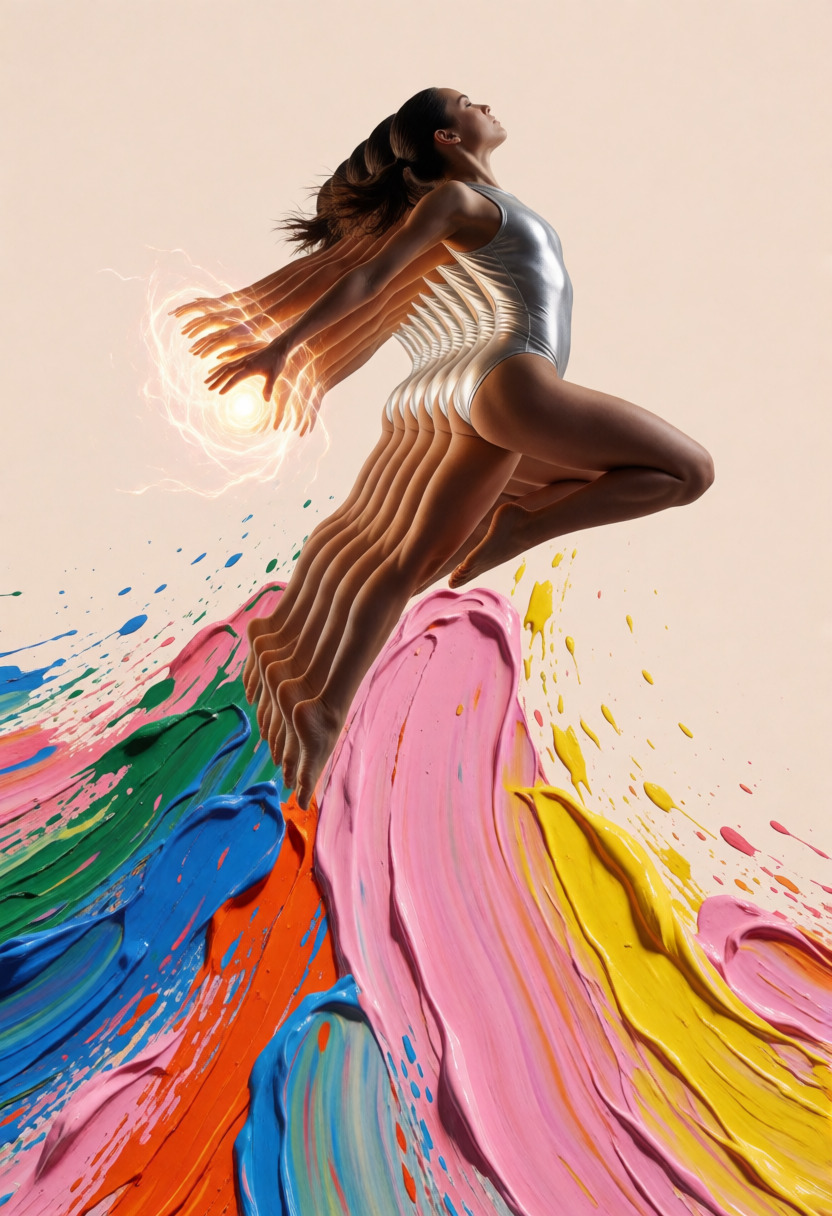
She holds the green lightsaber in her hand with dramatic green glow, she squats and turns hips to the right, she looks to the right out of the corner of her eyes.
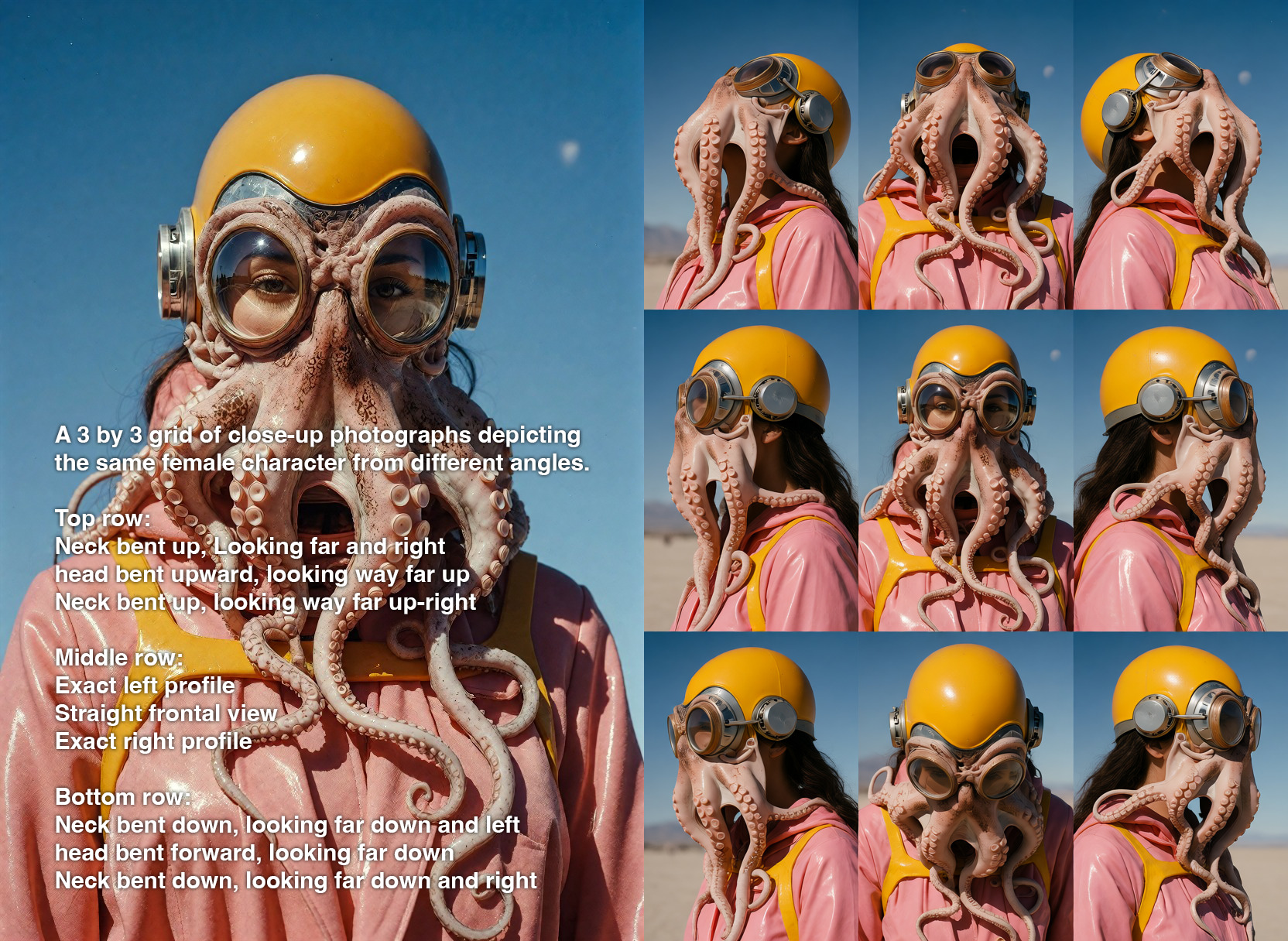
A 3 by 3 grid of close-up photographs depicting the same female character from different angles. Top row: Neck bent up, Looking far and right head bent upward, looking way far up Neck bent up, looking way far up-right Middle row: Exact left profile Straight frontal view Exact right profile Bottom row: Neck bent down, looking far down and left head bent forward, looking far down Neck bent down, looking far down and right
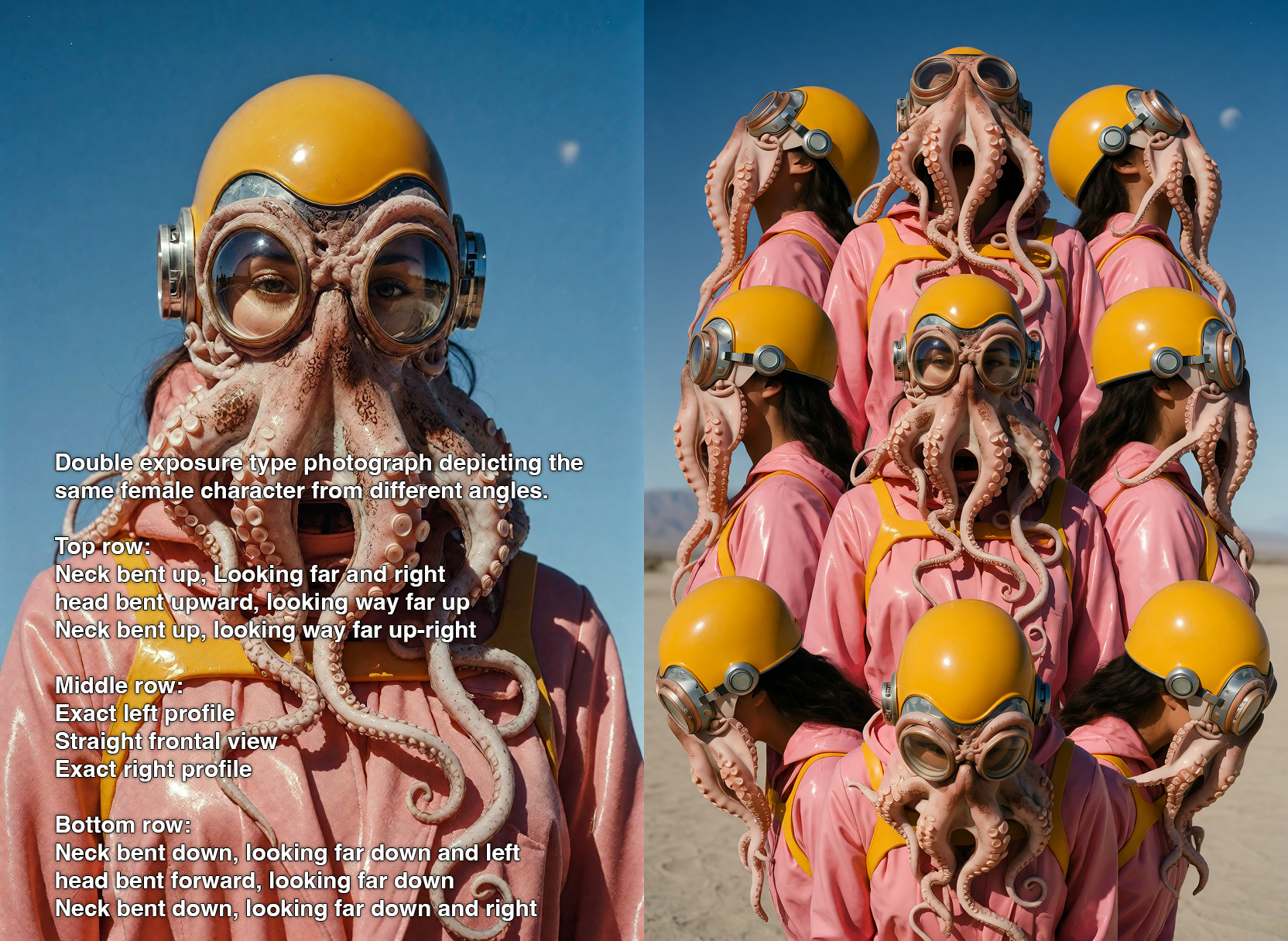
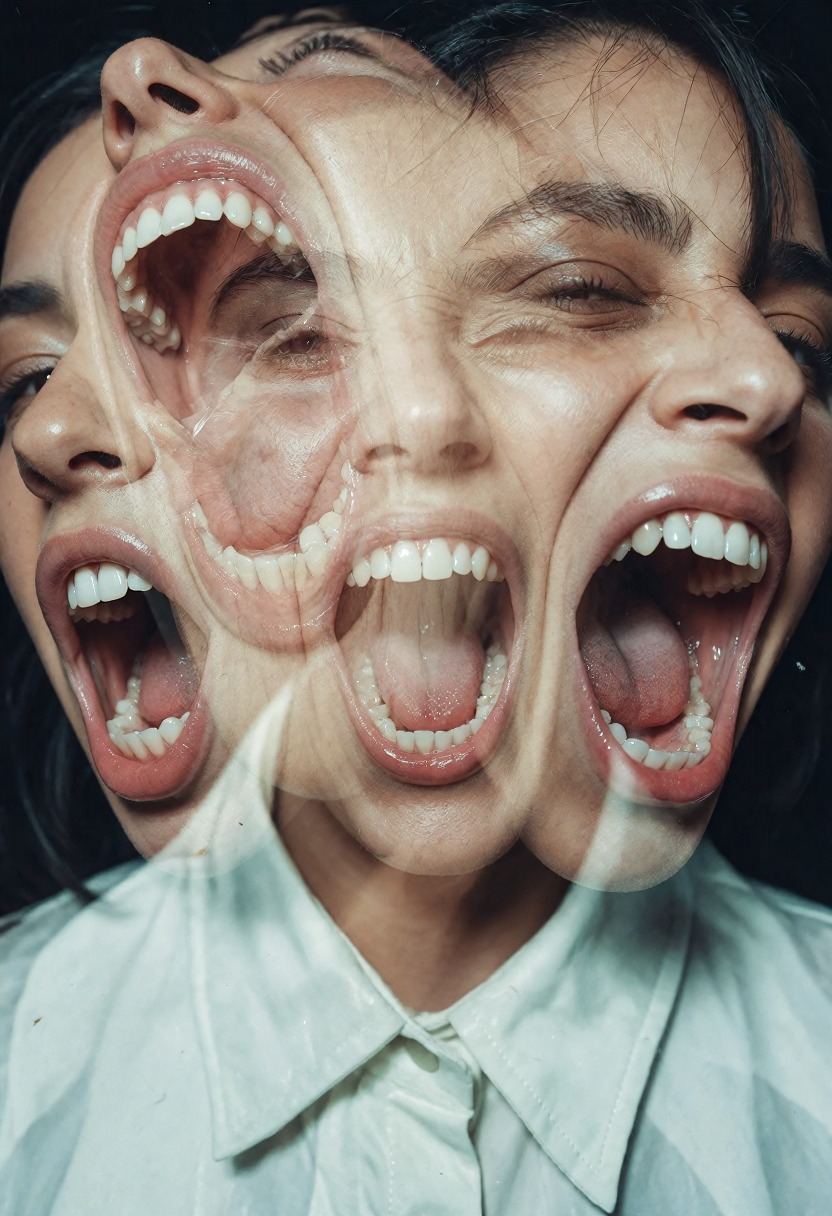
double exposure type photograph depicting the same female character from different angles. Top row: Neck bent up, Looking far and right head bent upward, looking way far up Neck bent up, looking way far up-right Middle row: Exact left profile Straight frontal view Exact right profile Bottom row: Neck bent down, looking far down and left head bent forward, looking far down Neck bent down, looking far down and right
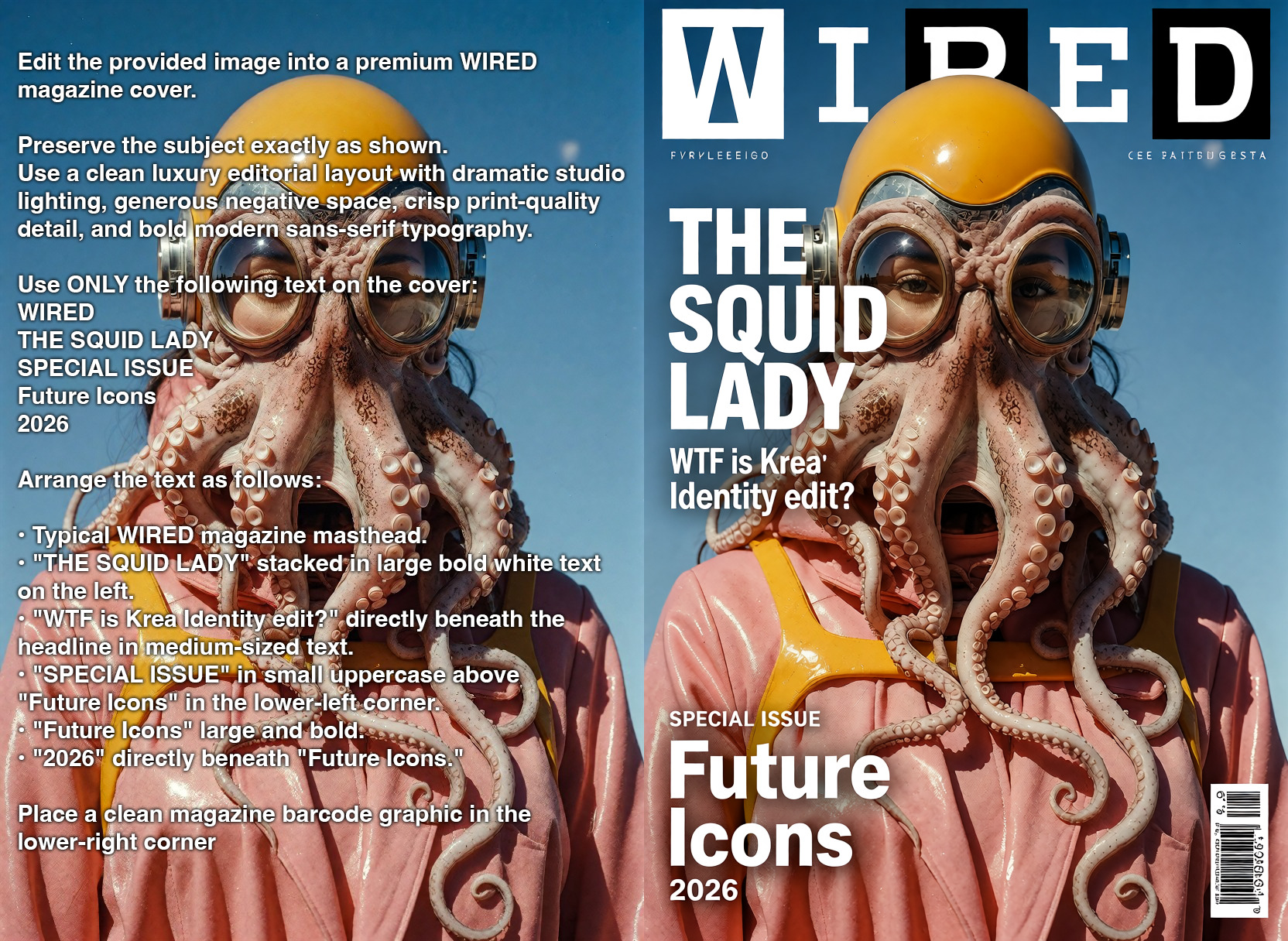
Edit the provided image into a premium WIRED magazine cover. Preserve the subject exactly as shown. Use a clean luxury editorial layout with dramatic studio lighting, generous negative space, crisp print-quality detail, and bold modern sans-serif typography. Use ONLY the following text on the cover: WIRED THE SQUID LADY The Future Isn't Human Bioengineering Meets High Fashion SPECIAL ISSUE Future Icons 2026 Arrange the text as follows: • Typical WIRED magazine masthead. • "THE SQUID LADY" stacked in large bold white text on the left. • "WTF is Krea Identity edit?" directly beneath the headline in medium-sized text. • "We just want the workflow template." beneath it. • "SPECIAL ISSUE" in small uppercase above "Future Icons" in the lower-left corner. • "Future Icons" large and bold. • "2026" directly beneath "Future Icons." Place a clean magazine barcode graphic in the lower-right corner
Use a flat monthly plan for credit-free fair-use generation, or buy Spark packs when pay-as-you-go fits better. Both run on the same creator-owned GPU network.
∞
Unlimited plans
One flat price in the app. Generate under fair use without a per-image meter.
🧩
200+ models
Image, video, music, and language models in one workspace and one API key.
⚡
Pay-as-you-go Spark
Prefer pay-as-you-go? Call Krea 2 Identity Edit LoRA v1.2 by id and pay with Spark packs.
🌐
Powered by people
Runs on a decentralized GPU network where workers share subscription revenue.
Krea 2 Identity Edit LoRA v1.2 is a community LoRA for instruction-based image editing on Krea 2. You provide one or two reference images plus an edit instruction, and it edits the image while trying to preserve identity, outfit, texture, and untouched scene details.
Which version is live on Sogni?
Sogni runs the v1.2 LoRA build through krea2_identity_edit_v1_2. The Hugging Face model card lists v1.2 as the recommended version, and the LoRA is also indexed on Civitai.
What changed in v1.2?
v1.2 adds stronger likeness for restaged subjects, a 1024 high-resolution pass, FIT reference geometry for mismatched source and output aspect ratios, Reference Boost control, and new workflows such as reference sheets, face and person swaps, inpainting, outpainting, and virtual try-on.
Do I need to upload an image?
Yes. Krea 2 Identity Edit is an image editor, so it needs at least one reference image. It accepts up to two context images on Sogni; for scene-plus-person edits, put the scene image first and the person reference second.
Is this the same Krea 2 Identity Edit LoRA from Hugging Face and Civitai?
Yes. The public upstream LoRA is conradlocke/krea2-identity-edit on Hugging Face and Krea 2 Identity Edit on Civitai. Sogni runs the deployed v1.2 workflow online so you can use the LoRA without installing ComfyUI, downloading weights, or managing a GPU.
How much does Krea 2 Identity Edit v1.2 cost?
Edits start around 5.19 Spark for a 1024 × 1024, 8-step, one-reference edit; the 10-step default is about 6.49 Spark. Sogni Unlimited and Unlimited Pro also cover eligible app renders under fair use.
Do I need ComfyUI, a GPU, or the Krea2Edit nodes?
No. The upstream LoRA requires custom Krea2Edit nodes for local ComfyUI use, but Sogni runs the deployed workflow for you on the Supernet. Use it in the browser or by exact model ID through the API.
How do I turn off the Sensitive Content Filter for Krea 2 LoRAs?
At app.sogni.ai, select your username in the top-right corner, then switch off Sensitive Content Filter under Content preferences. Confirm that you are 18 or older when prompted. Return to a compatible Krea 2 workflow and open Browse LoRAs to see the additional opt-in options. In the SDK, use the equivalent filter setting. Mature-theme generation is strictly opt-in.
How private is my use of this model on Sogni?
Sogni is built with privacy and creative freedom in mind. Your work remains your own, and inference runs through the Sogni Supernet, a decentralized network of creator GPUs, instead of requiring local hardware or a separate model host. Use is still governed by Sogni's Privacy Policy and Terms of Use.
Start with Krea 2 Identity Edit LoRA v1.2 today
Create in the app, or build with the API. Your call.